Camera Company
Company
Shop By Category
T&Cs
Shop Online
  • The maker's specifications on every page
  • Free tracked Australia-wide delivery over $150
  • 14-day returns

1080p Webcam with Auto Framing | 100fps streaming webcam | Ai webcam for pc

OBSBOT Meet SE 1080p AI Webcam with Auto Framing

$257.99 $309.99 Save $52
  • AI Auto Framing
  • 100fps At 1080p
  • Gesture Control
  • Simple USB Setup

Price: $257.99 $309.99

  • Free tracked Australia-wide delivery on orders $150+, otherwise a flat $15
  • Pay by card or PayPal, handled by the payment provider
  • 14 days to change your mind, plus your statutory rights
Product specifications
Model NameMEET SE
Model SeriesMeet SE
Model NumberMEET SE
BrandOBSBOT
ColourCloud White
Video Capture Resolution1080p
Video Capture FormatMJPEG / YUV
Effective Still Resolution2 MP
Photo Sensor Resolution2 MP
Sensor TypeCMOS
Photo Sensor TechnologyCMOS
Maximum Focal Length26 mm
Optical Zoom1x
Digital Zoom4x
Zoom TypeDigital
Image StabilisationDigital
Shooting ModesAutomatic, Manual
Exposure ControlAutomatic, Manual
Viewfinder TypeElectronic
Screen Size2.8 inches
ConnectivityUSB
Compatible DevicesPersonal Computer, Laptop
Water ResistanceNot water resistant
Item Weight33.2 g
Weight33.2 g
Shipping & returns

Tracked delivery anywhere in Australia. It is free on orders of $150 or more, and a flat $15 below that.

If it is not right for you, send it back within 14 days of delivery in resaleable condition and we refund the price you paid, including standard delivery. That is a voluntary policy we offer on top of your legal rights. You cover the cost of returning it unless the item is faulty.

If it arrives faulty, damaged or not as described, we put it right at no cost to you under the Australian Consumer Law and the Competition and Consumer Act 2010, return postage included.

Shipping details · Refunds and returns

AI Auto FramingRecognises a person or a group and keeps the shot composed in real time.
100fps At 1080pHigh frame rates keep fast movement smooth for streaming and gaming.
Gesture ControlStart framing or adjust zoom with a simple hand signal instead of a menu.
Simple USB SetupConnects to a PC or laptop over USB with no extra power brick.

Look sharp, stay centred and sound professional on every call with a 1080p webcam with auto framing that follows you instead of pinning you to one spot.

Smooth 1080p at up to 100fps, AI subject tracking, gesture control and a CMOS sensor tuned for dim rooms, all through a single USB connection to your PC or laptop.

The OBSBOT Meet SE is a 1080p webcam with auto framing that keeps you in shot as you shift, lean back or gesture while you talk.

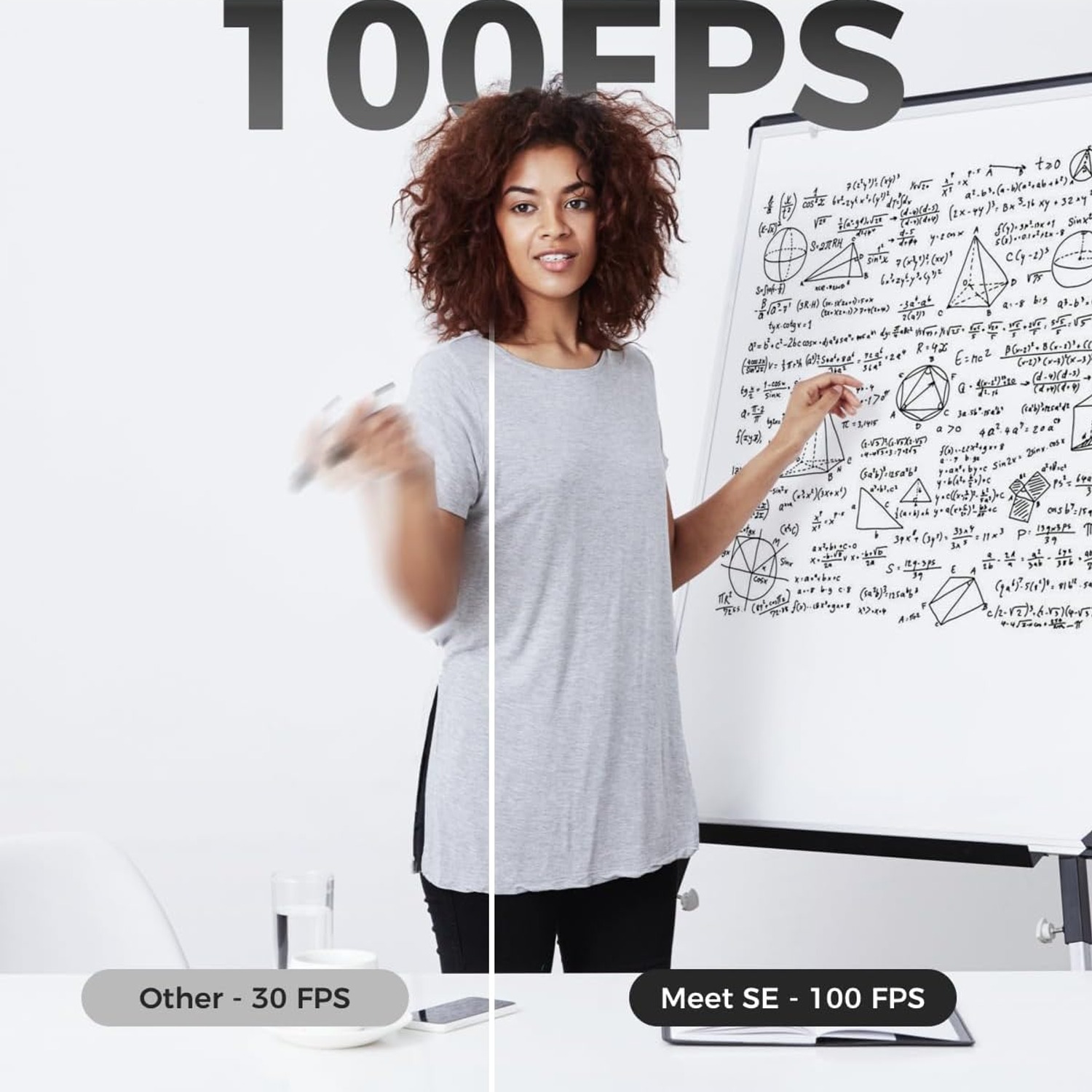
High frame rate capture at 1080p up to 100fps makes movement look smooth instead of choppy, which matters for live streams and demos.

A CMOS sensor with digital stabilisation and automatic or manual exposure helps the picture stay clean when the room light is less than ideal.

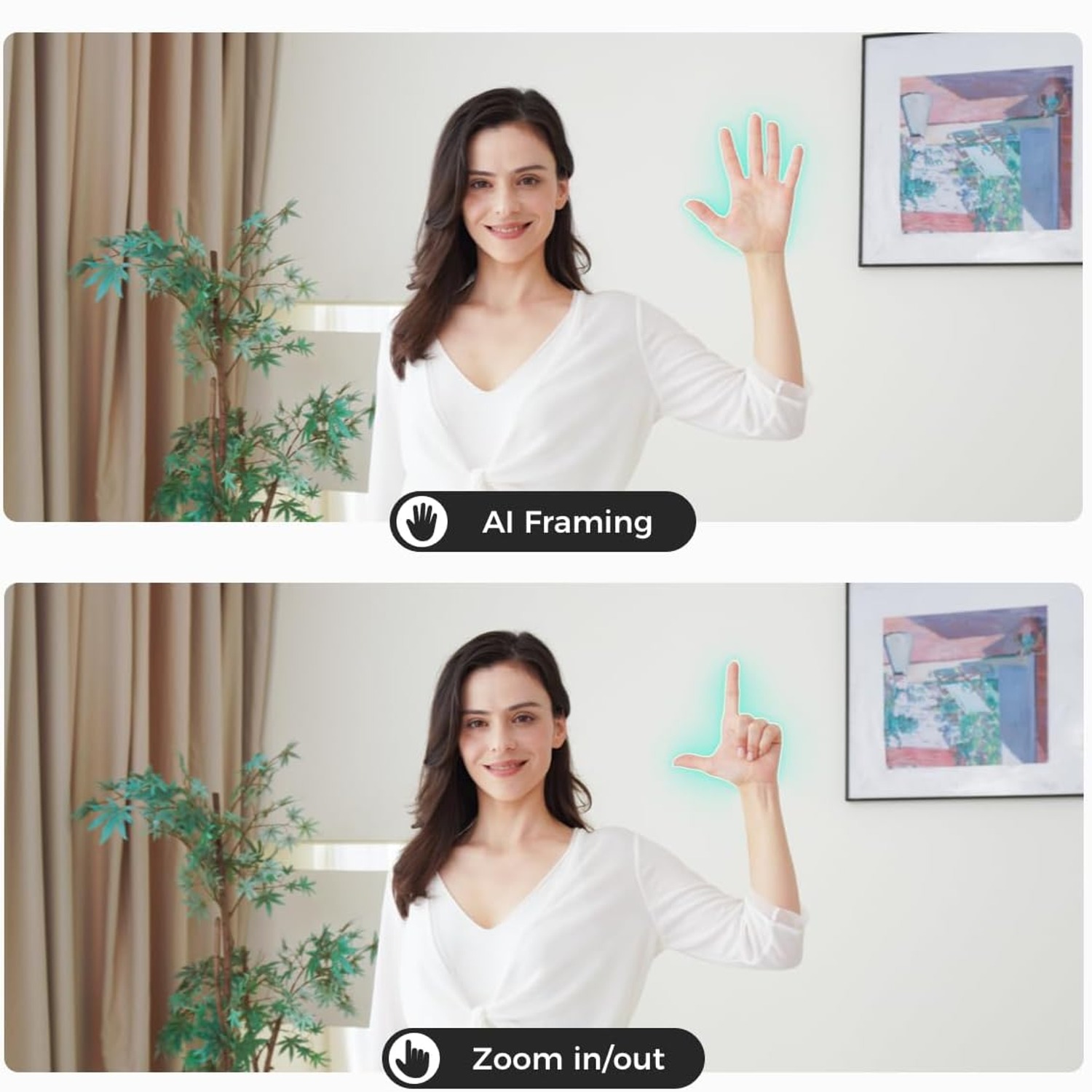
Gesture control lets you switch framing on or adjust the 4x digital zoom with your hand, so you do not have to stop mid sentence to find a setting.

It weighs only 33.2 grams and connects over USB to a personal computer or laptop, so it travels easily between desks.

OBSBOT Meet SE 1080p AI Webcam with Auto Framing

Most built-in laptop cameras were designed to tick a box, not to make you look good. They sit low, they wash out in side light, and they lock you into one narrow crop so any movement takes you half out of frame. The OBSBOT Meet SE takes a different approach. It is a 1080p webcam with auto framing, which means the camera watches the scene and adjusts the composition for you while you talk, present or record.

OBSBOT Meet SE 1080p AI Webcam with Auto Framing

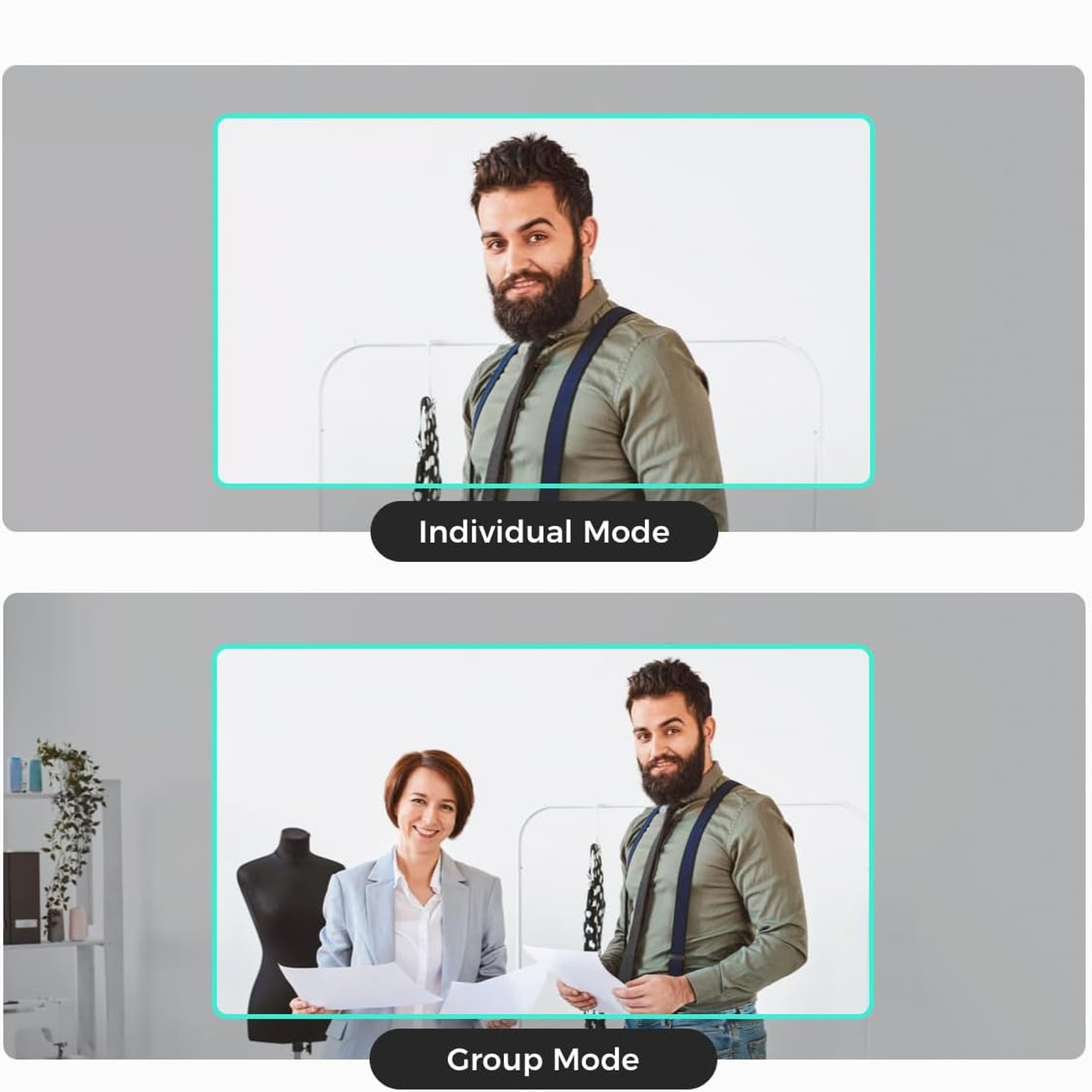
The AI framing works on individuals and on groups. If you are alone at a desk, it keeps you centred as you lean forward to read something or sit back to think. If two or three people crowd in for a stand-up, group mode widens out so nobody is cropped at the edge. Combined with 4x digital zoom, you can set a tighter head and shoulders shot without moving the camera or your chair.

OBSBOT Meet SE 1080p AI Webcam with Auto Framing

Frame rate is where this model separates itself from a basic office camera. Capturing 1080p at up to 100fps means movement looks fluid rather than stuttery, which matters if you stream, teach a physical skill, demo a product in your hands or play games on camera. The sensor is a CMOS unit with a 2 MP still resolution, digital image stabilisation, and both automatic and manual exposure control for when you want to lock the look rather than let it drift.

OBSBOT Meet SE 1080p AI Webcam with Auto Framing

Gesture control is the small feature that ends up getting used most. Instead of alt-tabbing out of a call to find a slider, you signal the camera with your hand to toggle framing or step the zoom. That keeps your hands where the audience can see them and your attention on the conversation. The electronic viewfinder and 2.8 inch screen size listed in the specifications help with checking your shot before you go live.

OBSBOT Meet SE 1080p AI Webcam with Auto Framing

Physically, the Meet SE is tiny. At 33.2 grams in Cloud White, it clips onto a monitor or laptop lid and barely registers in a bag. Connection is plain USB to a personal computer or laptop, so there is no separate power supply to pack. It is not water resistant, so treat it as a desk and studio device rather than something to take outdoors in the rain.

Not sure yet? That is fine.

A camera has to suit the job you bought it for, and you cannot always judge that from a photograph. If it is not right for you, send it back within 14 days of delivery in resaleable condition and we refund the price you paid, including standard delivery. That is on top of your Australian Consumer Law rights if anything arrives faulty.

If it turns up faulty, damaged or not as described, that is on us. The Australian Consumer Law and the Competition and Consumer Act 2010 covers you, and we pay the return postage. Read the full detail on our refunds and returns page, or ask us anything before you order.

Frequently Asked Questions

What exactly is this product?

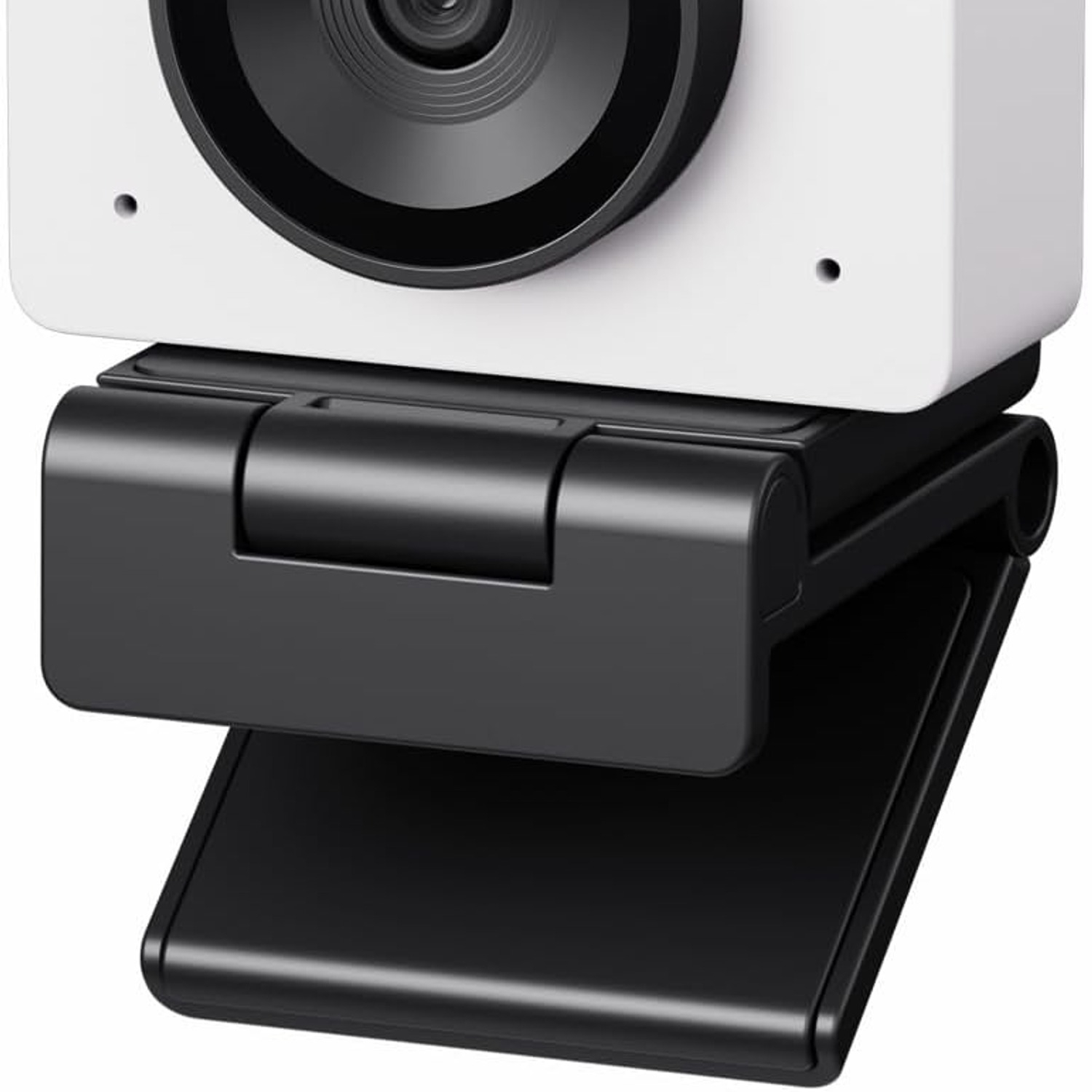
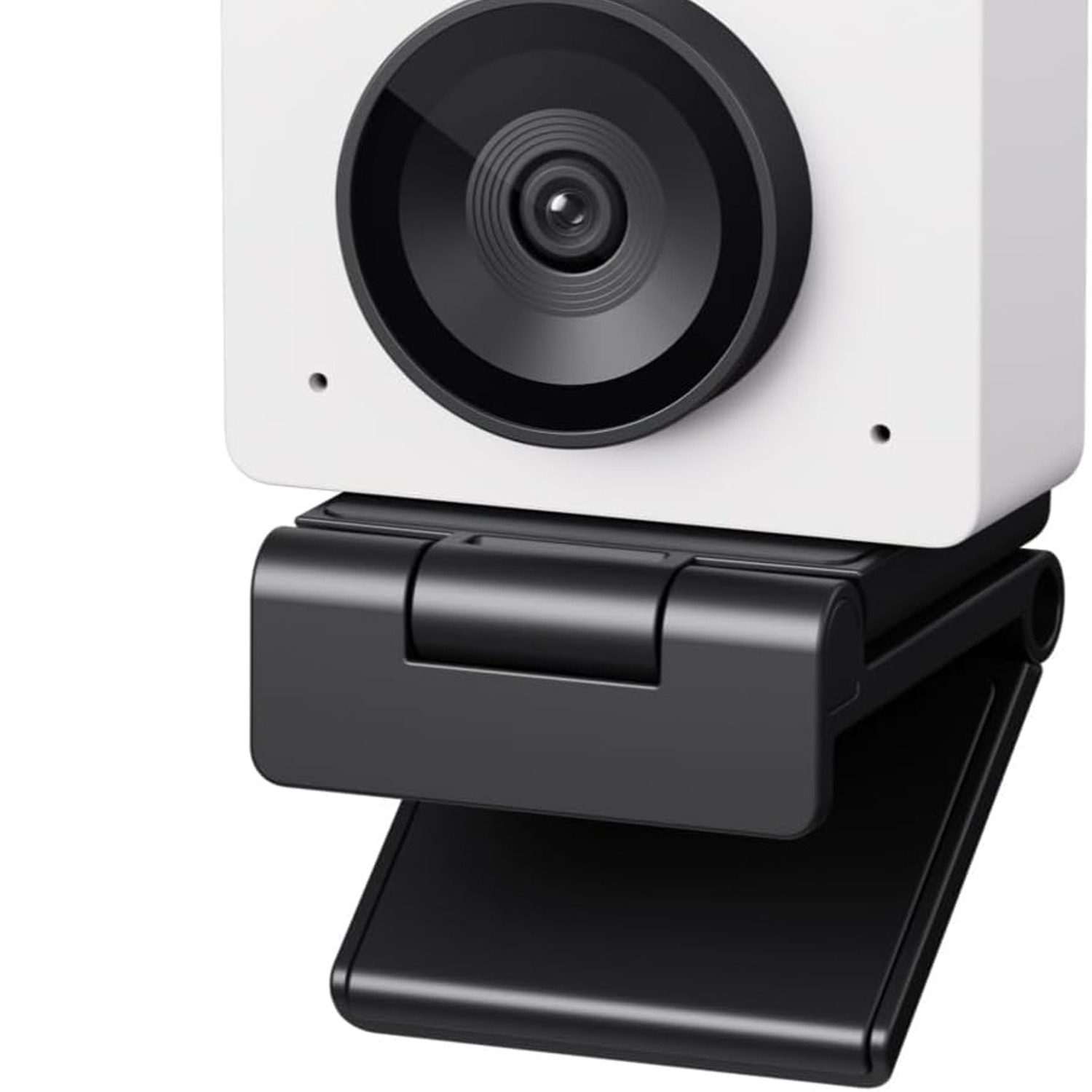
It is the OBSBOT Meet SE, a compact USB webcam for personal computers and laptops. It records 1080p video and uses AI auto framing to keep you composed in the shot. The listed colour is Cloud White.

What does auto framing actually do?

The camera identifies the person or people in view and adjusts the crop so they stay well positioned in the frame. If you shift in your chair or stand up slightly, the composition follows instead of leaving you half out of shot. It works for a single speaker and for small groups.

Does it work with more than one person on camera?

Yes. There is a group mode that recognises multiple people and widens the composition so everyone fits. That makes it useful for a small meeting room or a desk shared by two colleagues.

What video resolution does it record?

Video capture resolution is 1080p. The effective still resolution is listed as 2 MP, using a CMOS sensor. Video capture formats are MJPEG and YUV.

Why does 100fps matter on a webcam?

High frame rates make movement look smooth rather than stuttery. If you wave your hands, demonstrate something physical, or stream gameplay, the extra frames reduce the blur and judder you get from a standard 30fps camera. For a static talking head it matters less, though motion still looks cleaner.

Is this a good choice as the best 1080p webcam for streaming?

It suits streaming well because of the high frame rate capture and the AI framing that keeps you centred while you move. The digital zoom lets you set a tighter shot without repositioning the camera. Whether it is the right pick depends on your lighting and your software setup.

How does it connect to my computer?

Connectivity is USB, straight into a personal computer or laptop. There is no separate power adapter to plug in. The maker does not specify the exact USB connector type or cable length.

Will it work with Zoom, Teams, Meet and OBS?

It presents itself as a standard USB camera, so applications that accept a USB webcam can generally select it as a video source. Specific application compatibility lists are not given by the maker. Check your software's camera settings after plugging it in.

Does it have a microphone?

Microphone details are not specified by the maker. If audio quality matters to you, plan on a headset or a separate USB microphone, which usually sounds better than any camera-mounted mic anyway.

What zoom does it offer?

Optical zoom is 1x and digital zoom is up to 4x. Digital zoom crops into the sensor rather than moving glass, so the tightest settings will show more softness than the full frame. Modest zoom steps usually look fine at 1080p.

What is the focal length?

The maximum focal length is listed as 26 mm. That gives a fairly natural perspective for a desk camera, so faces do not look distorted the way they can on very wide lenses.

How heavy is it?

Item weight is 33.2 grams. That is light enough to sit on a laptop lid without tipping it, and it adds almost nothing to a bag when you travel.

What are the physical dimensions?

Package and product dimensions are not specified by the maker. The listed screen size figure is 2.8 inches and the viewfinder type is electronic. If exact measurements matter for a mount, contact us before ordering.

Does it handle low light?

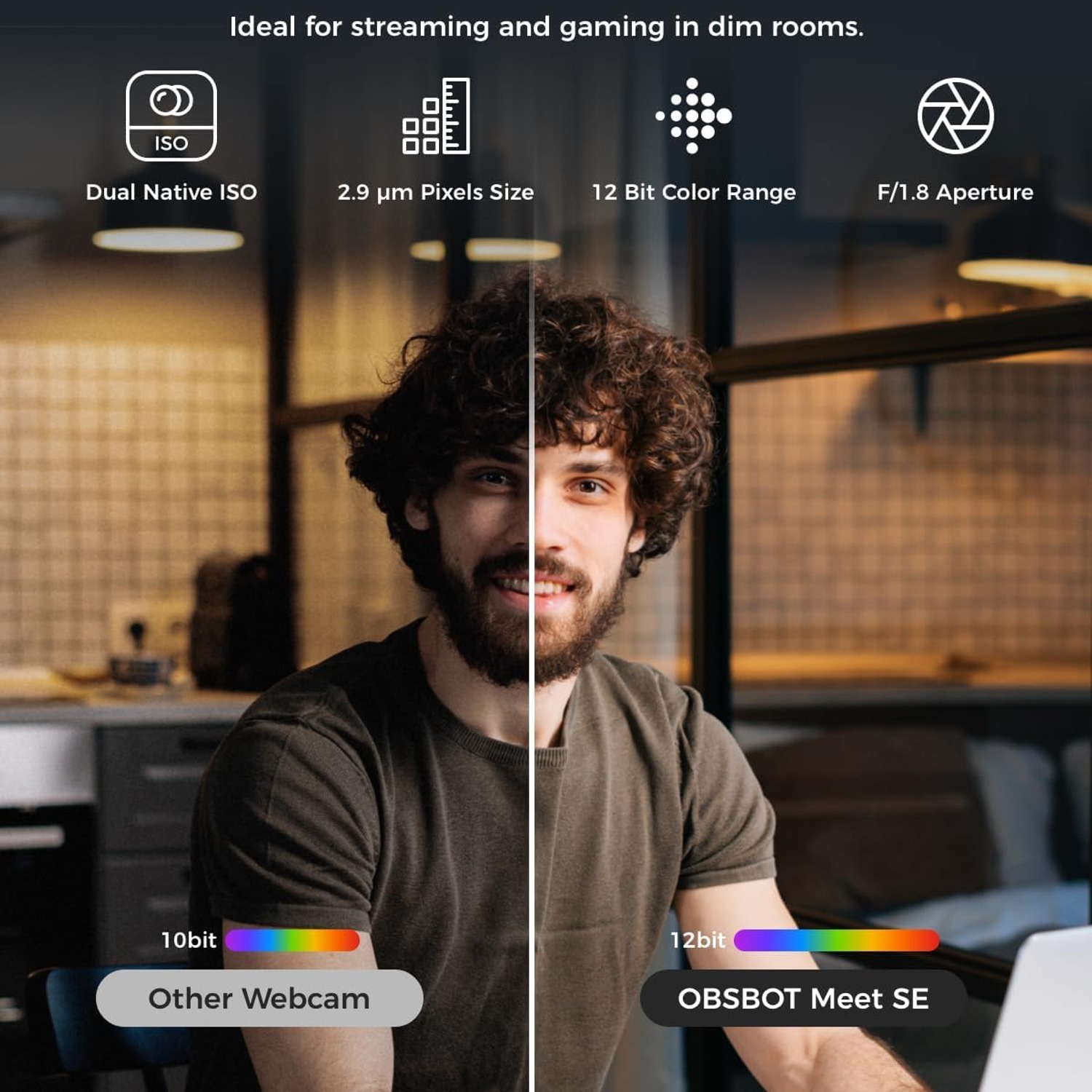
It uses a CMOS sensor with automatic and manual exposure control, plus digital image stabilisation. Those help, but no small webcam beats good lighting. A simple lamp bounced off a wall in front of you makes a bigger difference than any setting.

Can I control it without touching my keyboard?

Yes, it supports gesture control. A hand signal in front of the camera can toggle framing or adjust the zoom, so you do not have to leave your call to change a setting. This is handy when you are presenting and your hands are already in view.

Is there manual control for exposure?

Shooting modes are listed as automatic and manual, and exposure control type is also automatic and manual. That means you can let the camera decide, or lock a setting when the light in your room changes and you want the picture to stay consistent.

Does it have image stabilisation?

Yes, digital image stabilisation is listed. That smooths small vibrations, such as a desk that wobbles when you type. It is not a substitute for a steady mount.

Will it mount on a tripod?

Tripod thread details are not specified by the maker. Many webcams in this class include a clip that folds into a stand. If you need a specific mounting option, ask us before you buy.

Is this the best ai webcam for video calls in a home office?

It is a strong candidate if you move around while you talk, because framing is the thing most office cameras get wrong. The AI keeps you composed without any fiddling. For a completely static setup, a simpler camera may be enough.

Is it waterproof?

No. Water resistance level is listed as not water resistant. Keep it away from drinks, sinks and outdoor weather.

Does it need special software?

It works as a USB camera in standard video applications. OBSBOT provides a companion application for adjusting camera settings, though full feature details are not included in the maker's details. The core framing and capture functions do not require you to buy anything extra.

Can I use it with a Mac?

Compatible devices are listed as personal computer and laptop. Operating system support is not specified by the maker. If Mac compatibility is essential, check with us before ordering.

Is it suitable for online teaching?

It fits that use well. Auto framing keeps you in shot when you move to a whiteboard or lean towards a document, and the smooth frame rate makes hand demonstrations easier to follow. Many people looking for the best webcam for online teaching want exactly that kind of hands-free behaviour.

How do I clean it?

Use a dry microfibre cloth on the lens, with light pressure and small circles. Avoid household sprays, alcohol wipes and paper towel, which can scratch coatings. For the body, a slightly damp cloth on the plastic only, never near the connector.

How should I store it?

Keep it in a soft pouch or a small box, away from dust and heat. Unplug by gripping the connector rather than tugging the cable, since cable strain is the most common failure point on any USB device.

What is in the box?

Box contents are not specified by the maker. Expect the camera and its USB cable as a minimum. Contact us before ordering if you need confirmation of accessories.

How long does delivery take?

Delivery times depend on your country and address, and the estimate is shown at checkout before you pay. You get tracking details by email once the order ships. If something looks delayed, reply to your confirmation email and we will chase it.

Can I return it if I change my mind?

Yes, within the returns window shown on our returns page. Keep the camera and its cable in good condition with the original packaging where possible, since that makes the process quicker. Contact us first and we will send instructions.

Does it make a good gift?

It does for anyone who works, streams or studies on camera, especially someone still using a built-in laptop lens. The Cloud White finish looks tidy on a desk rather than industrial. It is small and light, so it is easy to post.

What if it is not right for me?

Tell us what went wrong and we will help. If the camera is faulty, we arrange a replacement or refund. If it simply does not suit your setup, you can return it within the stated returns window for a refund, and we are happy to talk through whether a different model fits your room and lighting better.

How to Choose a 1080p Webcam with Auto Framing

6 min read Camera Company

The problem with the camera you already have

Most of us never chose our webcam. It came glued into the top bezel of a laptop, and it was specified to cost almost nothing. The result is a picture that looks flat in daylight, grainy at night, and locked into a crop so tight that leaning back makes your forehead disappear.

That matters more than it used to. Interviews, client calls, training sessions, streams and recorded walkthroughs all happen on camera now. People form an opinion about how organised you are from a two second glance at your video tile. A soft, dim, badly framed shot quietly works against you, even when what you are saying is good.

A dedicated USB camera fixes most of that. A 1080p webcam with auto framing goes further, because it solves the one thing you cannot fix with better lighting: the fact that you move and the camera does not.

How auto framing works

AI framing is not magic, and it is useful to know what it is doing. The camera analyses the scene and identifies people in it. Then it chooses a crop inside the sensor's full field of view that places those people well in the frame, and it updates that crop as they move. When you shift to one side, the crop slides with you. When a second person leans in, group mode widens out so nobody is cut in half.

Because the crop happens inside a wider sensor view, you keep a usable image while the camera adjusts. The movement is smoothed rather than snapping, so viewers see a gentle reframe instead of a jolt.

The OBSBOT Meet SE pairs this with 4x digital zoom. Digital zoom crops further into the sensor, so there is a limit before softness shows. In practice, a modest step tighter for a head and shoulders shot looks clean, while pushing to the maximum is better reserved for situations where showing detail matters more than absolute sharpness.

Gesture control sits on top of all this. You raise a hand in front of the lens to switch framing on or off, or to step the zoom. It sounds like a gimmick until you are presenting and realise you do not have to minimise your slides to find a settings panel. For anyone hunting the best gesture control webcam, that is the practical benefit: fewer interruptions in the middle of a sentence.

Frame rate, and why 100fps is on the box

Resolution gets all the attention, but frame rate decides whether motion looks natural. Standard webcams usually run 30fps. That is fine for a still talking head and noticeably choppy the moment you gesture, move an object in your hands, or pan a laptop around a room.

This model captures 1080p at up to 100fps. The extra frames fill in the gaps between positions, so a waving hand reads as a smooth arc rather than a stack of blurred stills. If you stream, demonstrate crafts or tools, teach technique, or play games on camera, that is the single most visible upgrade over a basic office camera. If you only ever sit still and talk, the benefit is smaller, though the picture still looks cleaner.

Keep in mind your software and your upload speed also have a say. A conferencing platform may send a lower frame rate over the network regardless of what the camera produces. Recording locally or streaming with capable software is where high frame rate capture really shows.

Light is still the biggest factor

The Meet SE uses a CMOS sensor with digital image stabilisation and both automatic and manual exposure control. Those features help a lot in an average room. They still cannot invent light that is not there.

If you want the biggest improvement for the least money, put a light source in front of you, not behind you. A desk lamp bounced off a pale wall or ceiling works better than a bare bulb pointed at your face. Close the curtain behind you, or turn your desk ninety degrees so the window lights you instead of silhouetting you. People searching for the best low light webcam are often really searching for a better lamp.

Once your lighting is stable, switch exposure to manual and lock it. Automatic exposure constantly re-evaluates the scene, so a white page held up to the camera can make your face go dark for a second. Locking it keeps the picture consistent for the whole session.

Who this suits

This camera makes the most sense for a few groups.

People who work from home and spend hours on video calls get the clearest everyday benefit. Framing that follows you means you can relax and move naturally rather than holding a pose. That alone makes long days easier, and it is why the best webcam for home office setups tends to be one with tracking rather than one with the highest headline resolution.

Streamers and content creators benefit from the frame rate and the gesture control. Teachers and trainers get framing that keeps them in shot while they point at things. Small teams who crowd around one laptop for a stand-up get group mode, which saves everyone shuffling into a compromise position.

If you mount a camera once, never move, and only ever do audio-first calls, a simpler model will serve you fine. Buy the feature you will actually use.

What to check before you buy

A few practical points are worth confirming for your own setup.

Think about where it will sit. At 33.2 grams this is a very light camera, so it perches on a laptop lid without tipping it and clips to a monitor easily. If you want it on a tripod or an arm, check the mounting arrangement first, because that detail is not listed by the maker.

Think about your connection. It is a USB camera, with no separate power supply. Plugging into a port on the computer itself is usually more reliable than going through an unpowered hub, especially at high frame rates.

Think about the rest of your audio and video chain. A good camera with poor sound still makes a poor call. Many people get more value from pairing this with a headset mic than from spending more on the camera.

And treat it as an indoor device. It is listed as not water resistant, so it belongs on a desk and in a bag, not on a bike handlebar in the rain.

Looking after it

Webcams are low maintenance, and almost all failures come down to two things: a scratched lens and a strained cable.

Clean the lens with a dry microfibre cloth, light pressure, small circles. Skip household sprays and paper towel. Fingerprints are the usual culprit behind a mysteriously hazy picture, and thirty seconds with a cloth often fixes what looks like a hardware fault.

Unplug by holding the connector, never by pulling the cable. Store the camera in a pouch or box so dust does not settle on the glass. Keep it away from heaters and direct sun on a windowsill.

The short version

The OBSBOT Meet SE is a small USB camera that fixes the two things built-in laptop cameras get wrong. It gives you a proper 1080p image at up to 100fps, so movement looks smooth, and it uses AI framing to keep you or your group composed without you touching anything.

Gesture control removes the need to break your flow to change a setting. Manual exposure lets you lock a consistent look. Digital zoom lets you tighten the shot from where you sit. At 33.2 grams in Cloud White it travels easily and looks neat on a desk.

Add decent lighting and a separate microphone, and you have a setup that looks considered rather than accidental. That is usually all anyone is really after.

Browse the shop

Not sure if it suits your desk?

Tell us about your room, your lighting and what you record, and we will give you a straight answer before you buy.

Ask us a question

Page summary

The OBSBOT Meet SE is a compact USB webcam for personal computers and laptops. It records 1080p video in MJPEG or YUV format at frame rates up to 100fps and uses AI auto framing to keep an individual or a group composed in shot. The camera uses a CMOS sensor with 2 MP effective still resolution, digital image stabilisation, 1x optical and 4x digital zoom, a maximum focal length of 26 mm, and automatic or manual shooting and exposure modes. The listed colour is Cloud White and item weight is 33.2 grams. It is not water resistant. Material, country of origin, package dimensions and warranty terms are not specified by the maker.