Camera Company
Company
Shop By Category
T&Cs
Shop Online
  • The maker's specifications on every page
  • Free tracked Australia-wide delivery over $150
  • 14-day returns

4K Webcam with Autofocus | 4k usb webcam for pc | Webcam for video calls

UGREEN 4K Autofocus Webcam with Dual Microphones

$128.99 $154.99 Save $26
  • PDAF Autofocus
  • 4K Video
  • Dual Microphones
  • Plug And Play

Price: $128.99 $154.99

  • Free tracked Australia-wide delivery on orders $150+, otherwise a flat $15
  • Pay by card or PayPal, handled by the payment provider
  • 14 days to change your mind, plus your statutory rights
Product specifications
BrandUGREEN
Model Number65381
Video Resolution4K (UHD)
Effective Still Resolution8 MP
Sensor TypeCMOS
Lens TypePrime
Focal Length4.25 mm (fixed)
Viewing Angle70 degrees
Special Features4K recording, PDAF autofocus, low light correction, dual microphones
Image StabilisationDigital
ConnectivityUSB
Compatible DevicesLaptop, personal computer, smartphone, tablet
Video Capture FormatMP4
Supported Audio FormatPCM
Flash Memory TypeInternal flash memory
Video Speed ClassV60
Screen Size81 mm
Batteries IncludedNo
Water ResistanceNot water resistant
Item Weight96.3 g
Weight96.3 g
Shipping & returns

Tracked delivery anywhere in Australia. It is free on orders of $150 or more, and a flat $15 below that.

If it is not right for you, send it back within 14 days of delivery in resaleable condition and we refund the price you paid, including standard delivery. That is a voluntary policy we offer on top of your legal rights. You cover the cost of returning it unless the item is faulty.

If it arrives faulty, damaged or not as described, we put it right at no cost to you under the Australian Consumer Law and the Competition and Consumer Act 2010, return postage included.

Shipping details · Refunds and returns

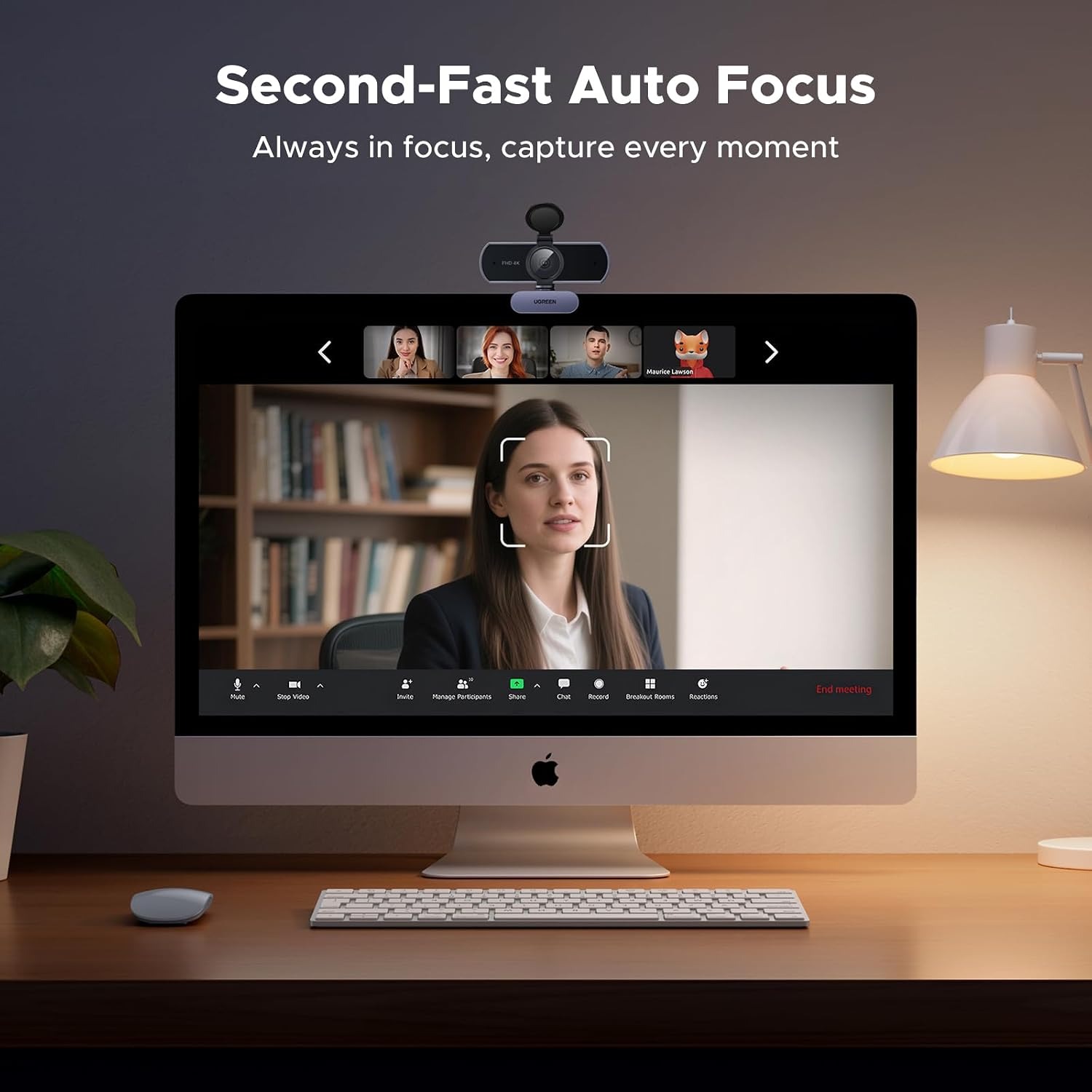
PDAF AutofocusPhase detection autofocus tracks you between roughly 1 and 5 metres.
4K VideoAn 8MP CMOS sensor records UHD video in MP4 format.
Dual MicrophonesTwo built-in mics pick up speech from across the room.
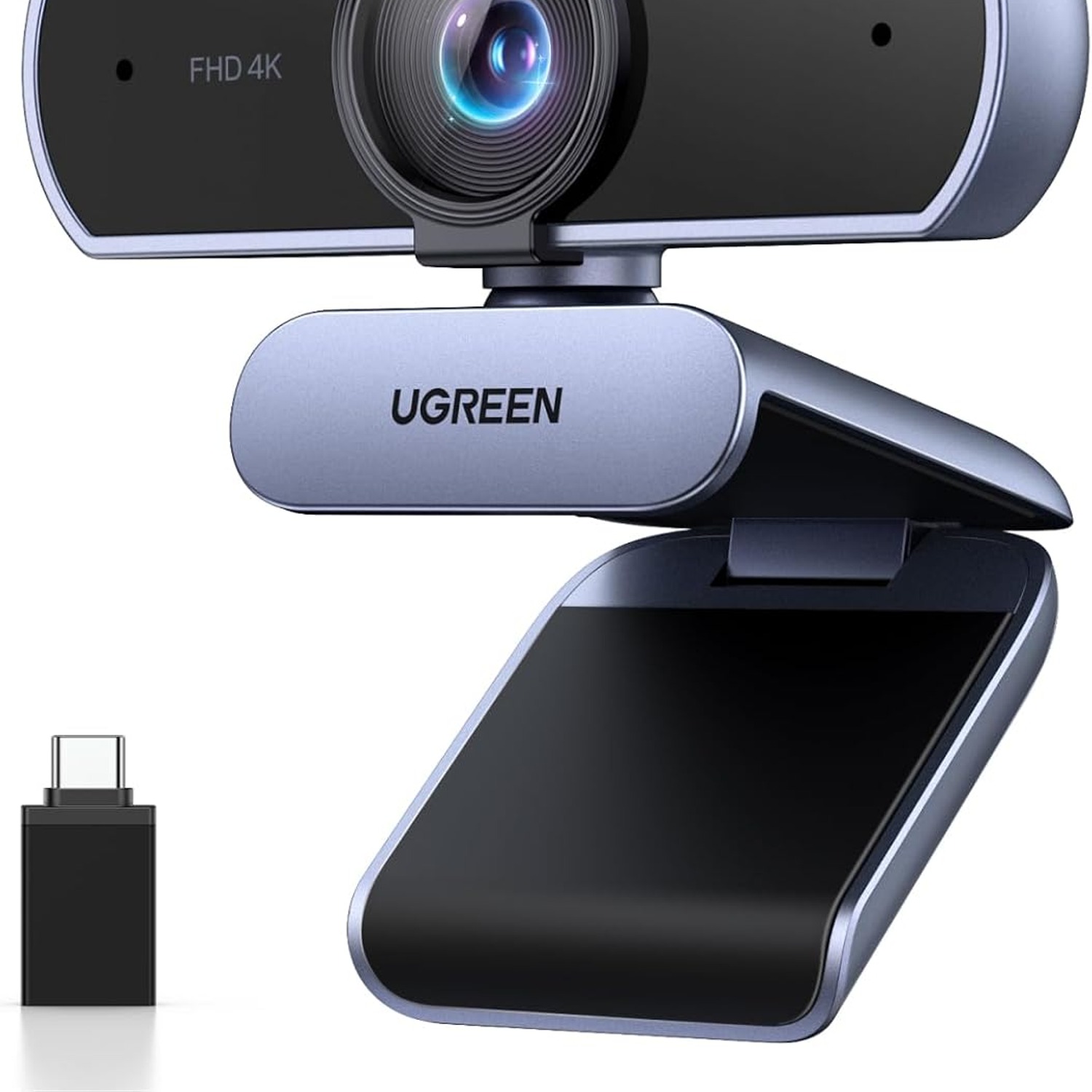
Plug And PlayDriver-free USB setup with a USB A to C adapter included.

Show up sharp every single time with a 4K webcam with autofocus that keeps you in frame and in focus.

An 8MP CMOS sensor, phase detection autofocus, auto exposure correction and two built-in microphones combine in a plug-and-play USB camera that works with laptops, desktops, tablets and phones.

A 4K webcam with autofocus built around an 8MP CMOS sensor, so your face stays sharp instead of soft and smeary.

Phase detection autofocus keeps subjects between about 1 and 5 metres in focus, which covers everything from a desk chair to a small meeting table.

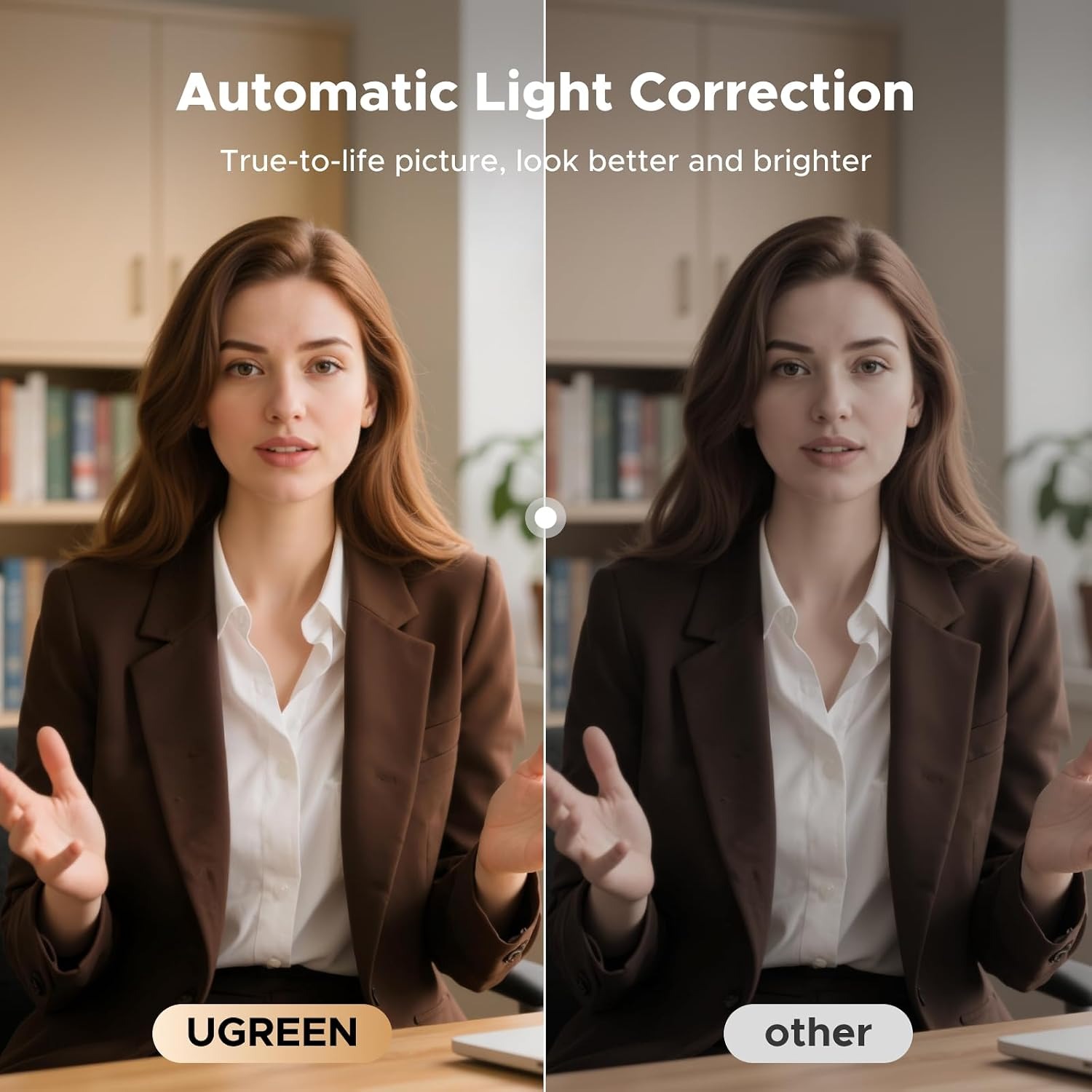
Auto exposure adjusts colour temperature and lifts dim scenes, so a late afternoon home office still looks presentable.

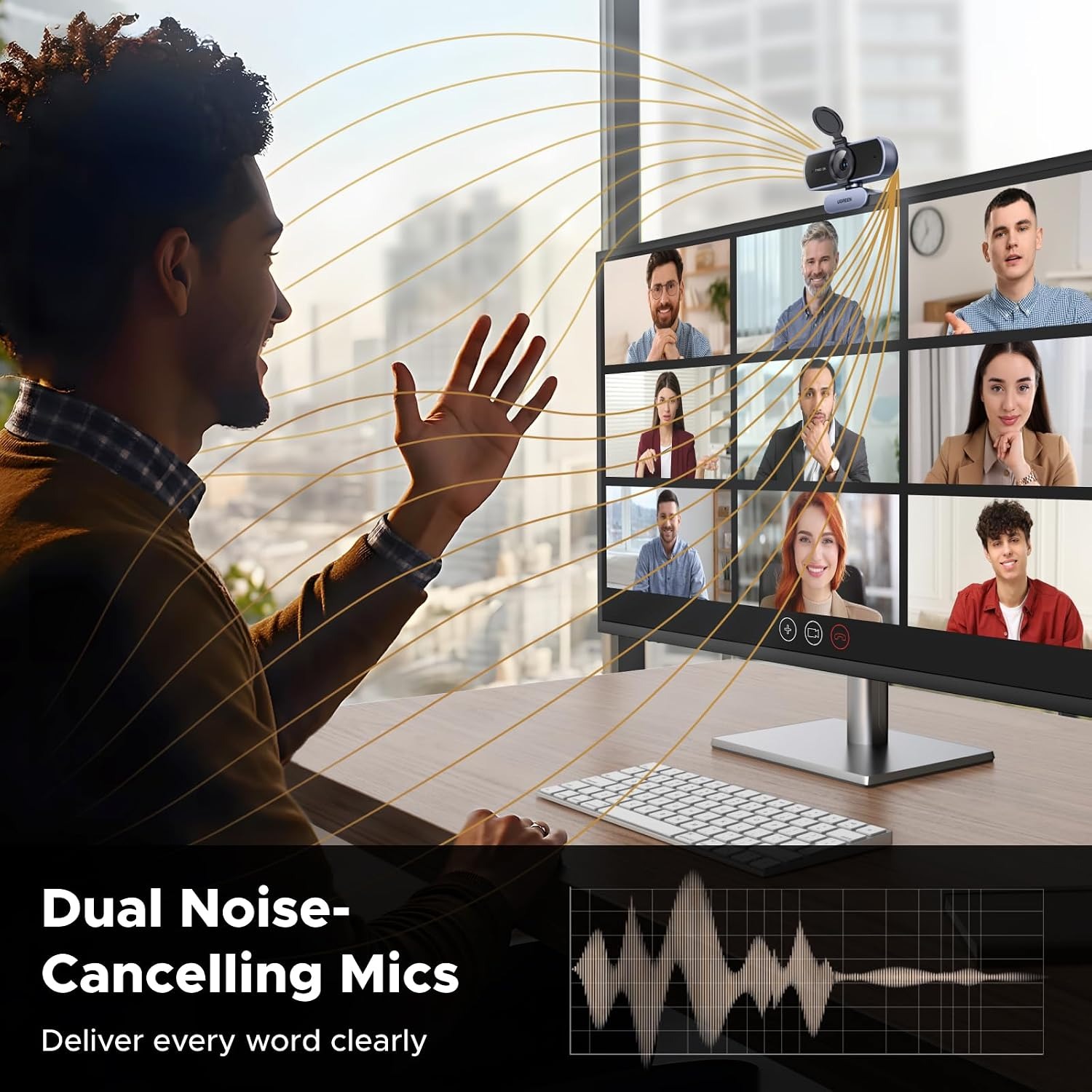
Two built-in microphones capture voices within about 5 metres, so you may not need a separate headset for everyday calls.

Plugs in over USB with no driver download, and ships with a USB A to C adapter for newer laptops.

UGREEN 4K Autofocus Webcam with Dual Microphones

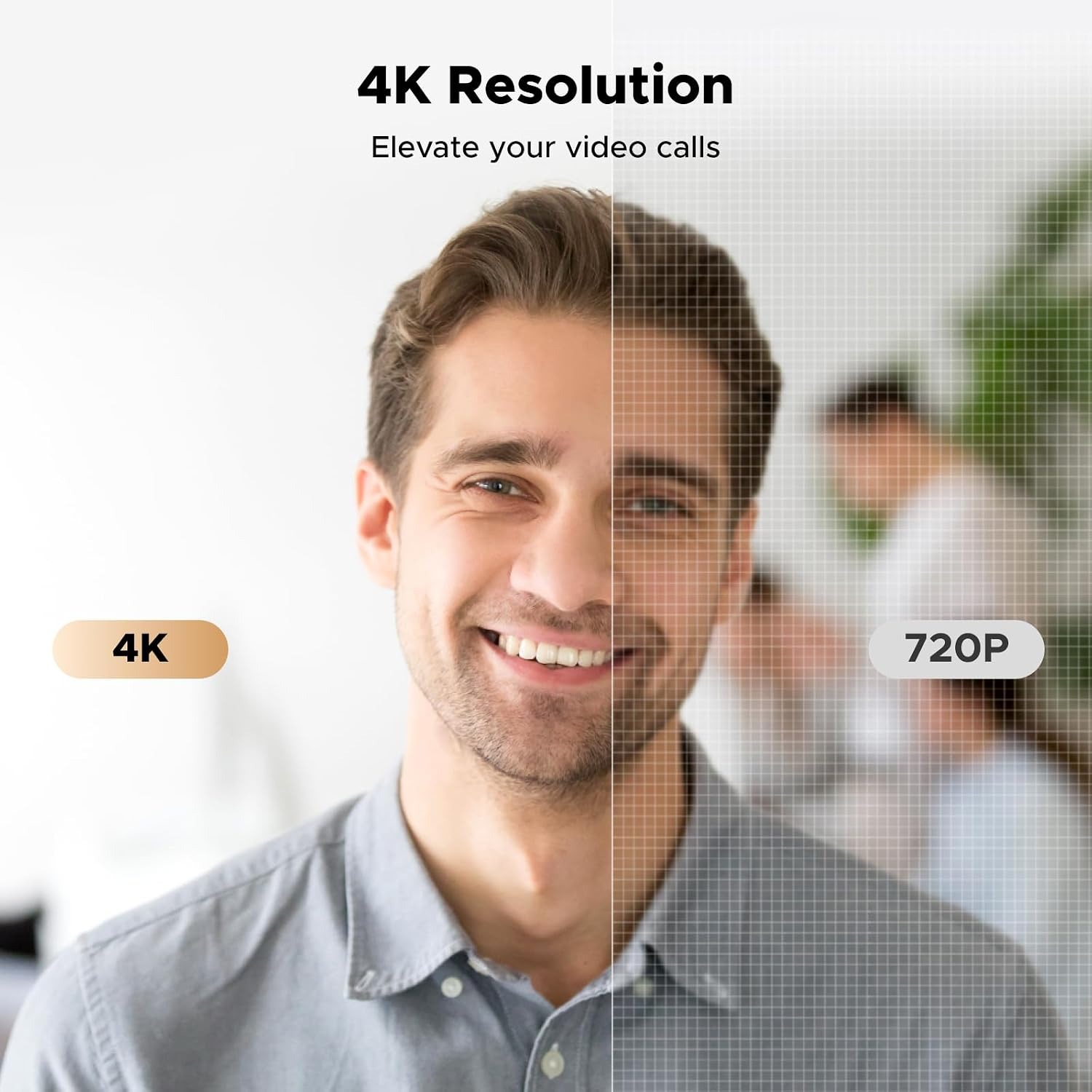
Most built-in laptop cameras were never meant to carry a working day. They sit behind a tiny lens, they struggle the moment the light drops, and they turn your face into a soft grey shape with a bright window behind it. This UGREEN webcam takes the opposite approach. An 8MP CMOS sensor feeds a 4K pipeline, so there is far more detail to work with before any video platform starts compressing the picture. Even when a call drops you to 1080p, starting from a better source makes a visible difference.

UGREEN 4K Autofocus Webcam with Dual Microphones

Focus is where cheap cameras quietly give up. Fixed focus lenses pick a distance and hope you stay there. This one uses phase detection autofocus, the same general idea phones use, and tracks subjects roughly 1 to 5 metres from the lens. Lean in to read something off your screen, sit back in your chair, hold a product up to the camera, and the image resolves quickly rather than hunting back and forth.

UGREEN 4K Autofocus Webcam with Dual Microphones

Lighting is handled automatically too. Auto exposure adjusts colour temperature and corrects for low light, which matters more than most people expect. A home office at 5pm in winter, a bedroom with one lamp, a meeting room with blinds half down, these are the conditions that make an ordinary webcam look bad. The correction will not invent light that is not there, but it stops you from appearing as a silhouette.

UGREEN 4K Autofocus Webcam with Dual Microphones

Audio comes from two built-in microphones with roughly a 5 metre pickup range. For a single person at a desk that means you can skip the headset on quick calls. For a small group around a table it means one camera can serve the whole room rather than passing a laptop around. Audio is captured in PCM format and video in MP4, both standard and widely supported.

UGREEN 4K Autofocus Webcam with Dual Microphones

Setup is deliberately simple. There is no driver to download and nothing to register. Plug the USB cable in and the camera appears as a standard video device, which is why it works across Windows, macOS, Linux and Android without fuss. A USB A to C adapter is included, so a modern thin laptop with only USB C ports is covered as well as an older tower. The mount sits on a monitor, a laptop lid, a TV or a tripod, and a physical privacy cover slides over the lens when you are done.

Not sure yet? That is fine.

A camera has to suit the job you bought it for, and you cannot always judge that from a photograph. If it is not right for you, send it back within 14 days of delivery in resaleable condition and we refund the price you paid, including standard delivery. That is on top of your Australian Consumer Law rights if anything arrives faulty.

If it turns up faulty, damaged or not as described, that is on us. The Australian Consumer Law and the Competition and Consumer Act 2010 covers you, and we pay the return postage. Read the full detail on our refunds and returns page, or ask us anything before you order.

Frequently Asked Questions

What exactly is this product?

It is a USB webcam that records 4K ultra high definition video using an 8MP CMOS sensor. It has phase detection autofocus, automatic exposure correction and two built-in microphones. It mounts on a monitor, laptop, TV or tripod and connects over a standard USB cable.

How does the autofocus actually work?

It uses phase detection autofocus, often shortened to PDAF, which measures the difference between light paths to work out which direction to move the lens. That makes it faster and less prone to hunting than contrast-based focus. It tracks subjects at roughly 1 to 5 metres from the camera.

Does it really shoot in 4K?

Yes, the maximum video resolution is 4K UHD and the sensor is rated at 8MP for still capture. Whether you see full 4K at the other end depends on the software you use and your upload bandwidth, since most video call platforms compress heavily.

Will my video calls actually look like 4K?

Usually not, because Zoom, Teams and similar platforms cap the stream well below 4K. The benefit is still real though, because a higher resolution source survives compression better and gives a cleaner 1080p or 720p picture.

What is the field of view?

The viewing angle is 70 degrees. That is a fairly natural framing that suits one person at a desk or a couple of people side by side, rather than a very wide room shot.

What lens does it use?

It has a prime lens with a fixed 4.25 mm focal length. Prime means there is no optical zoom, so framing is adjusted by moving the camera or the subject rather than zooming the lens.

Does it have a microphone?

Yes, there are two built-in microphones with a pickup range of about 5 metres. For most desk setups that removes the need for a separate headset, which is part of why it works as a usb webcam with microphone for everyday calls.

Can several people share it in a meeting room?

The 5 metre mic range and 70 degree view make it workable for a small table of two to four people. For a large boardroom you would want a dedicated conference system with a wider lens and array microphones.

Does it need a driver or software?

No. It is plug and play and appears as a standard USB video device. You pick it as your camera inside whichever app you are using and it starts working.

Which operating systems does it work with?

It is listed as compatible with laptops, personal computers, smartphones and tablets over USB. Standard UVC webcams like this generally work across Windows, macOS, Linux and Android without extra setup.

Does it work with USB C only laptops?

Yes. A USB A to C adapter is included, so you can connect it to either an older USB A port or a newer USB C port. That makes it a practical usb c webcam for mac users with recent hardware.

Does it need batteries or a power adapter?

No batteries are included and none are needed. The camera draws power from the USB connection on your computer.

What video and audio formats does it produce?

Video is captured in MP4 and audio is PCM. Both are standard formats that recording and conferencing software handle without conversion.

Is there any image stabilisation?

It uses digital image stabilisation. There is no optical stabilisation, which is normal for a webcam since it sits on a fixed mount rather than being handheld.

How does it handle poor lighting?

Auto exposure adjusts the colour temperature and corrects for dim conditions, which lifts the image in rooms with weak or mixed lighting. It cannot create light that is not there, so a lamp facing you will still improve things noticeably.

Does it have a privacy cover?

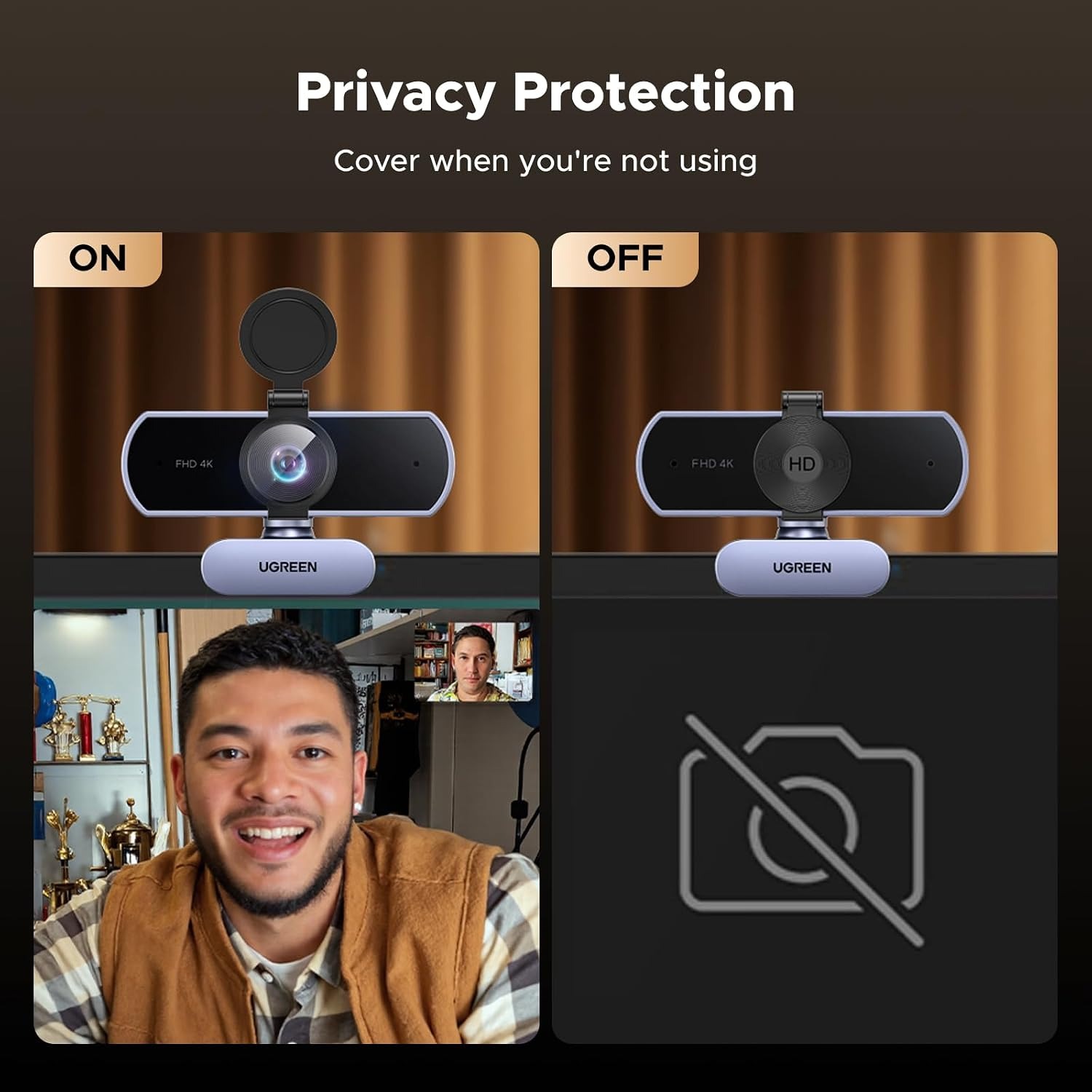
Yes, there is a built-in cover that slides over the lens. Closing it is a physical block, which many people prefer over trusting a software indicator light.

How heavy is it?

The unit weighs 96.3 grams. That is light enough to sit on a thin laptop lid without tipping it, and easy to drop in a bag when you travel.

What are the overall dimensions?

Full external dimensions are not specified by the maker. The listed screen size figure is 81 millimetres, which relates to the mounting width rather than the complete body size.

Can I mount it on a tripod?

Yes, it can be placed on a monitor, laptop, TV or tripod. Tripod mounting is handy if you want a lower angle or you need the camera somewhere other than directly above your screen.

Is it suitable for streaming?

It suits streaming on platforms like Twitch and YouTube where a sharp face camera matters more than cinematic depth of field. The 4K source gives you room to crop into a smaller face cam window without losing detail.

Will it help with online teaching?

It is a reasonable choice as a webcam for online teaching. Autofocus means you can hold a book or a model up to the lens and have it resolve, and the dual mics pick up your voice if you move around a little.

Does it work for recording videos, not just calls?

Yes. It captures to MP4 and can be used with any recording software that accepts a USB camera, so it works for tutorials, product demos and voiceover pieces.

Is it water resistant?

No. It is listed as not water resistant and should be kept away from liquids. It is an indoor desk camera, not outdoor equipment.

How do I clean it?

Use a dry microfibre cloth on the lens and body. Avoid sprays, solvents and damp cloths, since the unit has no water resistance and liquid can seep past the lens housing.

Can I adjust the angle?

The mount tilts so you can set a comfortable eye line. For bigger adjustments, moving the camera along the top of your monitor or using a tripod gives you more control than tilt alone.

What colour is it?

The product detail list from the supplier notes a grey finish. A specific colour value is not stated by the maker.

Is there a warranty?

The maker does not state warranty term. Any manufacturer cover would come from UGREEN directly under their standard terms for this model.

How long does delivery take?

Delivery timing depends on your country and the address you give at checkout. You will see the available options and estimates before you confirm the order, and tracking follows once it ships.

Does it make a good gift?

It works well as a gift for anyone who works from home, studies online or records video. It arrives ready to use with no account setup or subscription, which makes it an easy present for someone who is not especially technical.

What if it is not right for me?

Contact us with your order number and tell us what went wrong. If the camera is unused and in its original packaging we will walk you through a return, and if it arrived faulty or damaged we will sort out a replacement or refund. Photos of the problem speed things up considerably.

How To Choose A 4K Webcam That Actually Looks Good On Calls

6 min read Camera Company

The problem with the camera you already have

Open your laptop, start a call, and look at yourself for a second. Most people see the same thing. A slightly soft face, colours that lean grey or green, and a bright window behind them that the camera has given up on. It is not your fault and it is not really the software. It is the camera.

Laptop webcams live in the lid. The lid is thin. A thin lid leaves almost no room for a lens or a sensor, so manufacturers fit the smallest parts that will technically produce a picture. Those parts need plenty of light to work, and a normal room rarely has plenty of light. Add a fixed focus lens that picked its distance at the factory and never changed, and you get the familiar result.

A separate USB camera fixes this for one simple reason. It is not squeezed into a lid, so it can carry a bigger sensor, a proper lens and real focusing hardware.

What 4K buys you, and what it does not

There is a fair amount of noise around resolution numbers, so it helps to be clear. This camera records 4K ultra high definition using an 8MP CMOS sensor. That is the source quality.

What reaches the person on the other end of a Zoom or Teams call is a different matter. Those platforms compress hard and usually cap the stream well below 4K, partly to protect your bandwidth and partly to protect theirs. So no, your colleagues will not be watching you in cinema resolution.

The gain is still real though. Compression works by throwing away detail, and it does a much better job when there is plenty of detail to start with. A 4K source squeezed down to 1080p looks cleaner than a 1080p source squeezed down to the same place. You also get genuine 4K when you are recording locally, which matters for tutorials, demos and anything you plan to edit later.

Focus is the feature people underestimate

Ask someone what makes a webcam look bad and they will usually say resolution. More often it is focus.

A fixed focus lens is set to one distance during manufacturing. Sit at exactly that distance and the picture is acceptable. Lean forward to read something, sit back in your chair, or hold a document up to the lens and the image goes soft. Many cheap cameras handle this by using a very small aperture, which keeps everything slightly in focus and nothing properly sharp, and that is why those cameras need so much light.

This one uses phase detection autofocus. The short version is that it measures light arriving along two slightly different paths and works out which way the lens needs to move, and by roughly how much. Contrast-based focus, the older method, has to guess and then check, which is why you see cameras rack in and out before settling. PDAF skips most of that hunting.

The tracking range here is about 1 to 5 metres. That covers a desk chair, a standing position behind a desk, and a small meeting table. It is the practical zone for almost all video call use.

Lighting, and why auto exposure matters

Auto exposure on this camera adjusts colour temperature and corrects low light. Both halves of that are useful.

Colour temperature is the reason you sometimes look slightly orange under a warm bulb or slightly blue near a window. A camera that locks to one setting gets this wrong constantly. One that adjusts will match the room, so skin tones look like skin tones.

Low light correction lifts dim scenes. This is honest rather than magical. The camera can brighten what the sensor captured, but it cannot invent light that never hit the lens, and pushing a dark image too far introduces grain. If you take one practical step from this whole guide, make it this one. Put a lamp somewhere in front of you, not behind you. Even a cheap desk lamp bounced off a wall will do more for your picture than any specification on a box.

Sound, and whether you still need a headset

The camera has two built-in microphones with a pickup range of around 5 metres. For a lot of people that is enough on its own.

If you sit at a desk in a reasonably quiet room, the mics will handle daily calls fine and you can skip the headset. If you share a small meeting table with two or three others, one camera can cover the group rather than everyone leaning toward a laptop. If you are in a noisy open plan office or you record content professionally, a dedicated microphone will still beat any webcam, and that is true of every webcam, not just this one.

Audio is captured as PCM, which is uncompressed and universally supported, so nothing exotic is needed on the software side.

Who this suits

Remote and hybrid workers are the obvious group. If you spend hours a day on camera, the difference between a laptop lens and a proper USB camera is noticeable every single call.

Teachers and trainers get good value from the autofocus in particular. Holding an object up to the lens and having it snap sharp is genuinely useful when you are demonstrating something.

Streamers and video makers benefit from the 4K source. A face cam is usually displayed small, which means you can crop in tightly without the image falling apart.

Small teams sharing a room get a sensible middle option. It is not a full conference system, but for four people around a table it works.

Who should look elsewhere? Anyone who needs a very wide room shot, since 70 degrees is a natural framing rather than a wide angle. Anyone needing optical zoom, since this is a prime lens. And anyone who needs ruggedised or outdoor hardware, because this camera is not water resistant at all.

Setting it up

Plug it in. That is close to the whole process.

There is no driver download, no account, no companion app you need to keep updated. The camera presents itself as a standard USB video device, which is why it works across Windows, macOS, Linux and Android without special handling. You select it as your camera inside Zoom, Teams, OBS or whatever you use, and it takes over from the built-in one.

A USB A to C adapter is included. If you have an older desktop with rectangular USB ports, you are covered. If you have a recent thin laptop with only USB C, you are also covered. That saves the usual scramble for a dongle.

Positioning is worth a minute of thought. Put the camera at or just above eye level so you are not shooting up at the ceiling or down at your own forehead. The mount sits on a monitor, a laptop lid or a TV, and there is tripod mounting if you want the camera somewhere else entirely, such as pointed down at a desk surface for demonstrations.

Looking after it

There is not much to it. Wipe the lens with a dry microfibre cloth when it picks up dust or fingerprints. Keep cleaning sprays and damp cloths away, since the camera has no water resistance and liquid can work its way past the lens housing.

Close the privacy cover when you are finished for the day. It protects the glass from dust and it settles any worry about the camera being active when you did not intend it. A physical cover is simply more reassuring than a small indicator light.

When you unplug, pull the connector rather than the cable. Store it somewhere dry and out of direct sunlight. At 96.3 grams it travels easily, so if you work from more than one location it is no trouble to carry.

The short version

A laptop camera is a compromise made for thinness. This is a camera made to be a camera.

You get a 4K source from an 8MP CMOS sensor, phase detection autofocus that tracks you between roughly 1 and 5 metres, auto exposure that handles colour and dim rooms, and two microphones that cover a small group. It plugs in over USB with no driver, ships with a USB A to C adapter, and has a physical privacy cover.

Add a lamp in front of you and set it near eye level, and you will look better on calls than most people in the meeting.

Browse the shop

Still deciding?

Tell us about your desk, your lighting and the apps you use, and we will say honestly whether this camera suits you.

Ask us a question

Page summary

The UGREEN 65381 is a 4K USB webcam with phase detection autofocus, built around an 8MP CMOS sensor with a fixed 4.25 mm prime lens and a 70 degree viewing angle. It records UHD video in MP4 with PCM audio, uses digital image stabilisation, and includes two built-in microphones with roughly a 5 metre pickup range. Autofocus tracks subjects at about 1 to 5 metres, and auto exposure corrects colour temperature and low light. Connection is plug and play over USB with a USB A to C adapter included, and it works with laptops, desktops, tablets and smartphones. The unit weighs 96.3 g, has a physical privacy cover, includes no batteries, and is not water resistant. Colour, material, country of origin and overall dimensions are not specified by the maker.