Camera Company
Company
Shop By Category
T&Cs
Shop Online
  • The maker's specifications on every page
  • Free tracked Australia-wide delivery over $150
  • 14-day returns

3 Channel Dash Cam | Front inside and rear dash cam | Rideshare dash cam

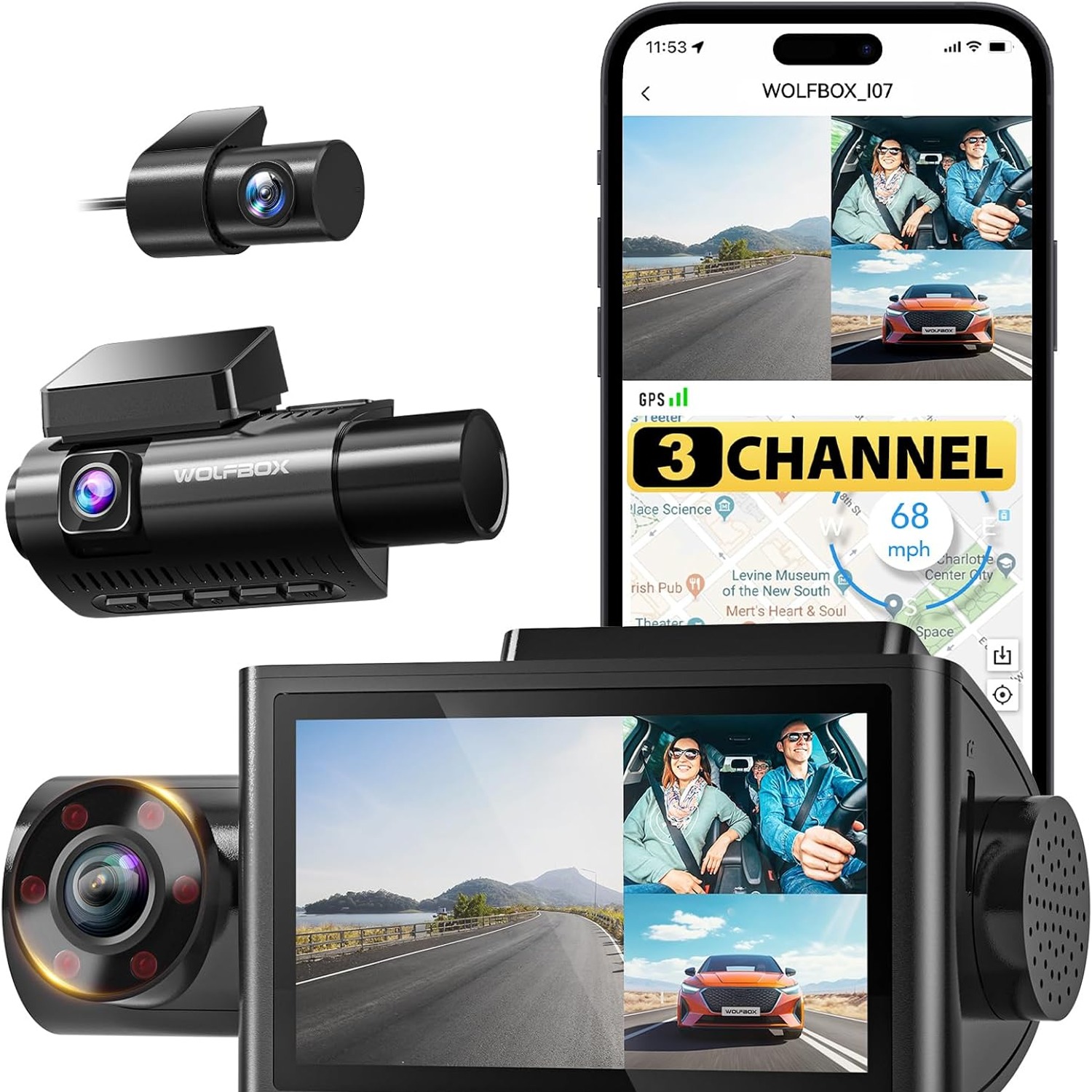
WOLFBOX i07 3 Channel Dash Cam with Front, Cabin and Rear Cameras

$339.99 $407.99 Save $68
  • Three Camera Angles
  • Infrared Cabin View
  • Built-In GPS
  • Phone App Control

Price: $339.99 $407.99

  • Free tracked Australia-wide delivery on orders $150+, otherwise a flat $15
  • Pay by card or PayPal, handled by the payment provider
  • 14 days to change your mind, plus your statutory rights
Product specifications
Model NameWOLFBOX i07
Model Numberi07
Camera OrientationFront, cabin and rear
Video Capture Resolution1440p
Field Of View170 degrees
Maximum Aperturef/1.8
Optical Sensor TechnologyCMOS
Screen Size3 inch
Display TypeLCD
ConnectivityWi-Fi
Special FeaturesBuilt-in GPS, night vision, parking monitor
Memory TypemicroSD
Memory Card Included32 GB
Maximum Card Size Supported512 GB
Video FormatMP4
Batteries IncludedNo
Compatible Vehicle TypeCar
Item Dimensions (D x W x H)120 x 35 x 78 mm
Item Weight143 g
In The BoxUser manual
Weight143 g
Shipping & returns

Tracked delivery anywhere in Australia. It is free on orders of $150 or more, and a flat $15 below that.

If it is not right for you, send it back within 14 days of delivery in resaleable condition and we refund the price you paid, including standard delivery. That is a voluntary policy we offer on top of your legal rights. You cover the cost of returning it unless the item is faulty.

If it arrives faulty, damaged or not as described, we put it right at no cost to you under the Australian Consumer Law and the Competition and Consumer Act 2010, return postage included.

Shipping details · Refunds and returns

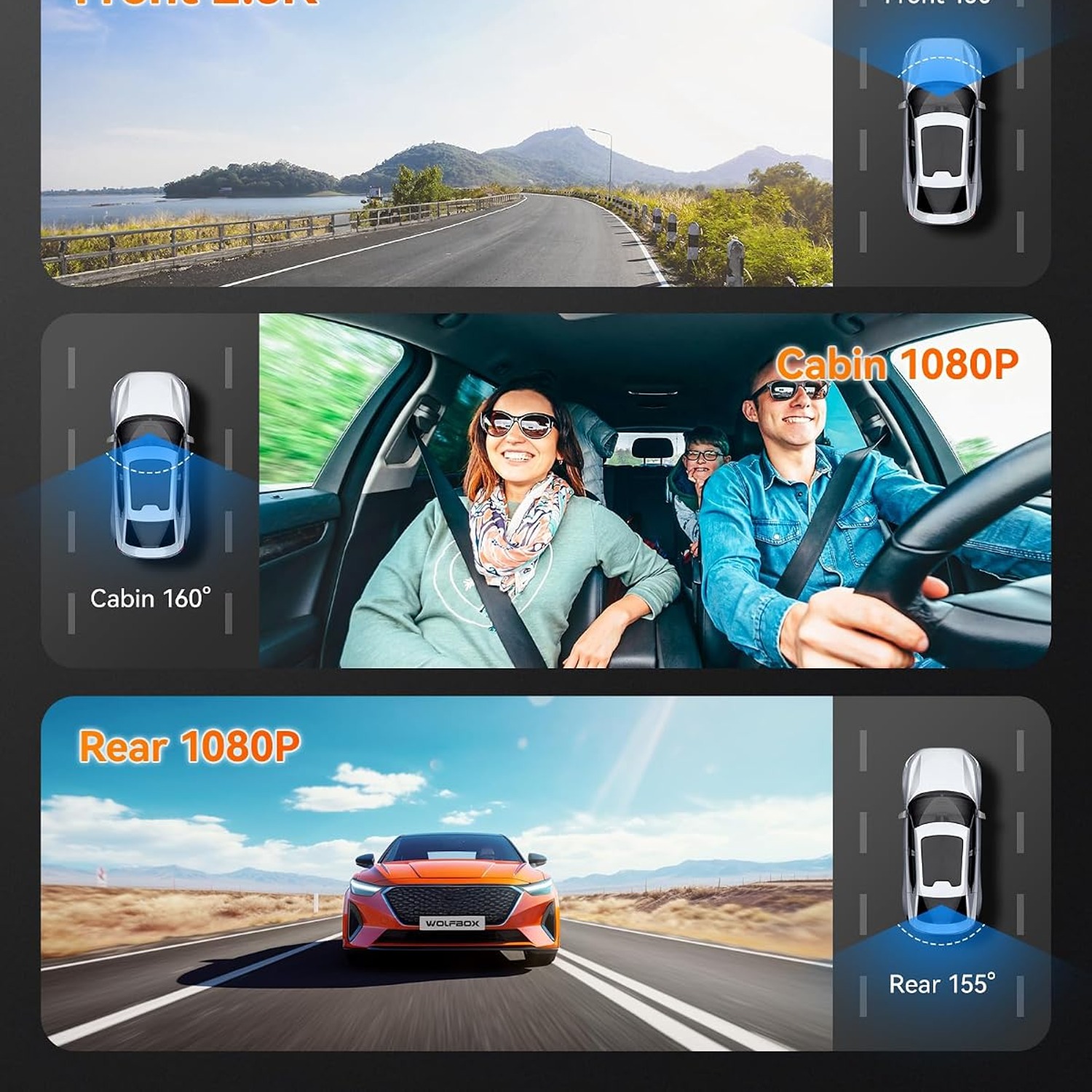
Three Camera AnglesRecords the road ahead, the cabin and the view behind at the same time.
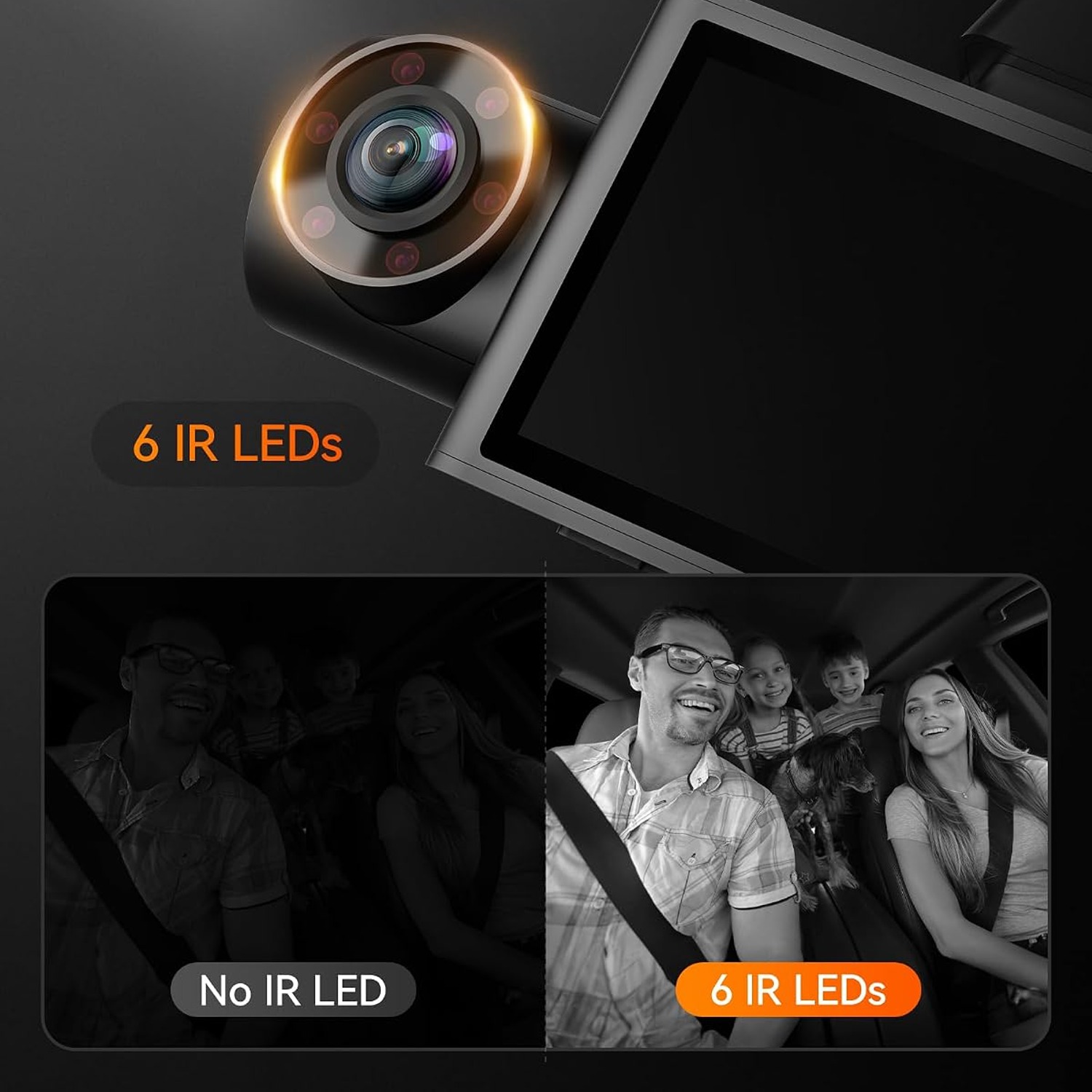
Infrared Cabin ViewInterior camera stays usable in dark car parks and at night.
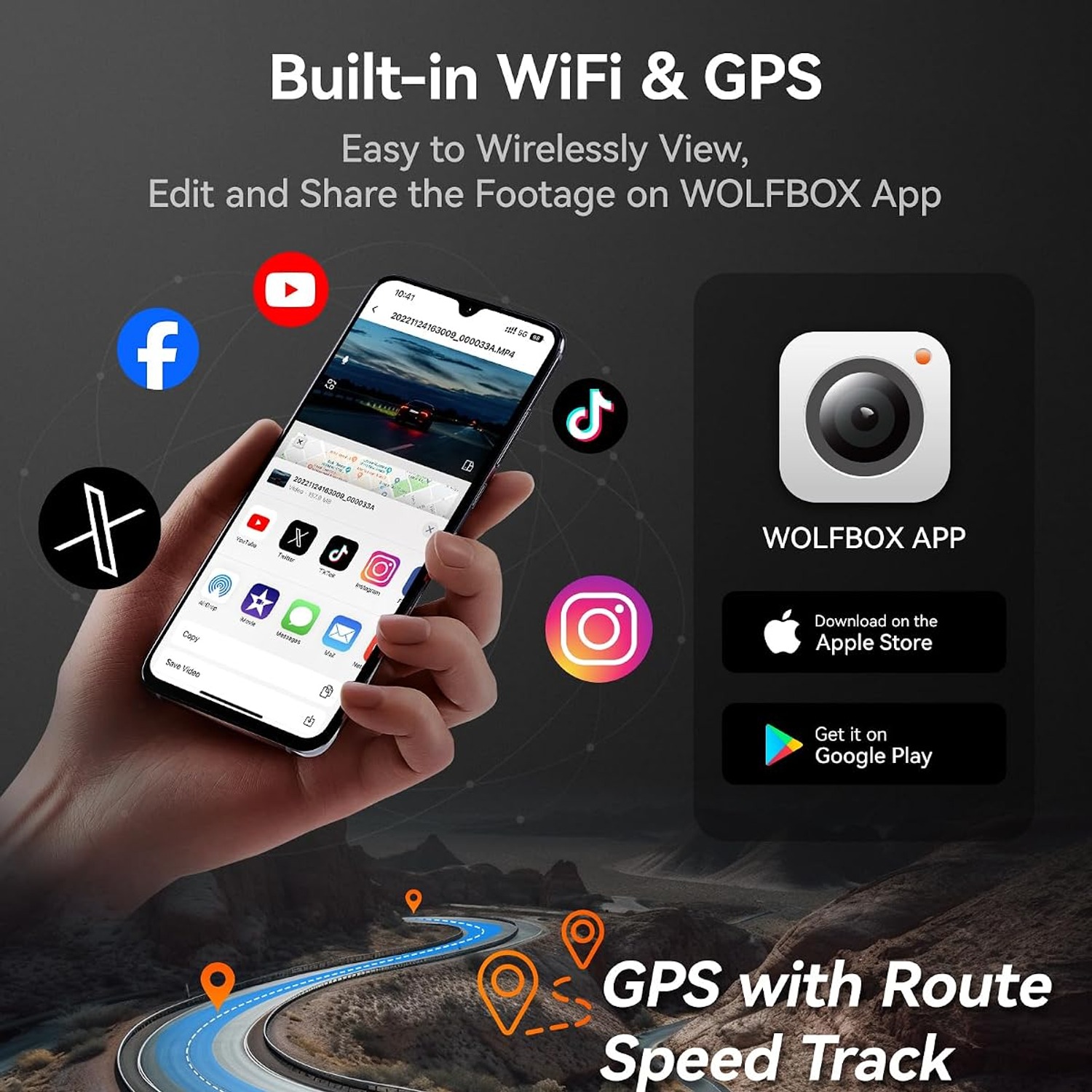
Built-In GPSSpeed and route data are saved alongside the footage.
Phone App ControlConnect over Wi-Fi to view, download and share clips.

Drive with a clear record of every trip thanks to a 3 channel dash cam that watches the road ahead, the cabin and the traffic behind.

Three wide-angle cameras, infrared cabin night vision, built-in GPS and Wi-Fi app control work together on a 3 inch LCD so you can check, save and share footage in minutes.

A three camera system that covers the front, the cabin and the rear of your vehicle from a single compact unit.

The interior camera uses infrared LEDs so faces and movement inside the car stay visible after dark.

Built-in GPS stamps your speed and position onto the recording, which helps when you need to explain what happened.

Wi-Fi lets you pair the camera with your phone to review footage and save the clips you care about.

A 3 inch LCD on the body makes setup, playback and angle adjustment quick without any extra gear.

WOLFBOX i07 3 Channel Dash Cam with Front, Cabin and Rear Cameras

Most drivers only think about a dash cam the week after something goes wrong. A near miss on a roundabout, a shopping centre car park ding with no note left, or a passenger who claims something that never happened. A 3 channel dash cam removes the guesswork by keeping three points of view running whenever the engine is on. The WOLFBOX i07 records the road ahead, the inside of the cabin and the traffic behind from one body mounted behind your mirror.

WOLFBOX i07 3 Channel Dash Cam with Front, Cabin and Rear Cameras

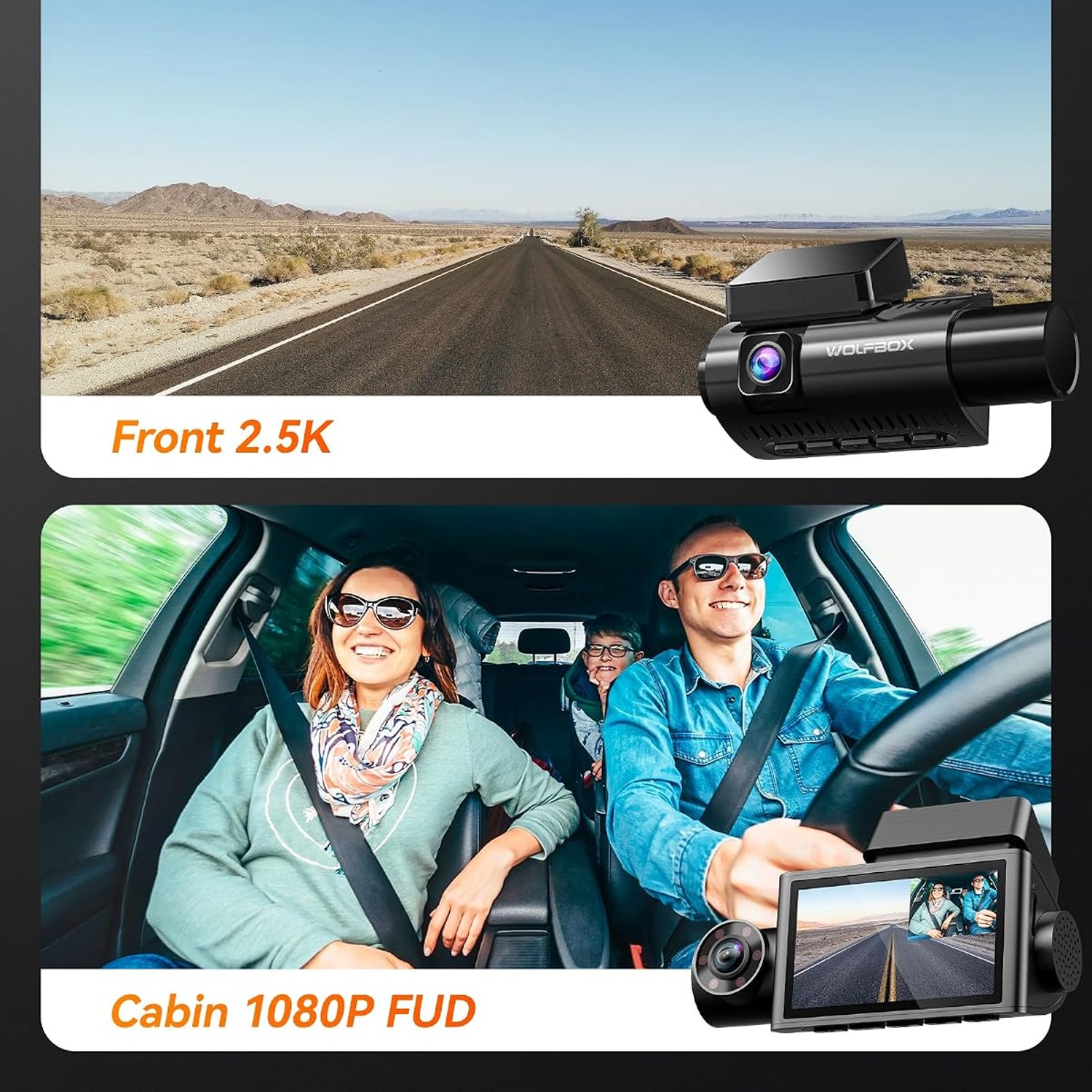
The front and cabin cameras handle the two angles that matter most in everyday driving. The front lens has an f/1.8 aperture and a CMOS sensor, so bright daylight and dim evening roads both come through with usable detail. The cabin camera uses infrared LEDs, which means it keeps working in an underground car park or on a late night run when the interior light is off. That combination is the reason this style of camera became standard kit for rideshare and taxi work.

WOLFBOX i07 3 Channel Dash Cam with Front, Cabin and Rear Cameras

Built-in GPS runs quietly in the background and tags the footage with speed and position. When you play a file back on a computer, you can see where the car was and how fast it was travelling at any point in the clip. That context turns a video from an interesting clip into something far more useful when you are talking to an insurer or a fleet manager.

WOLFBOX i07 3 Channel Dash Cam with Front, Cabin and Rear Cameras

Wi-Fi is the part people use most often. Rather than pulling the microSD card out and hunting for a reader, you connect your phone to the camera and browse the recordings on screen. Save the clip you want, trim it, and send it on. The 3 inch LCD on the unit covers the rest, letting you line up the lenses properly at install time and confirm all three channels are recording.

WOLFBOX i07 3 Channel Dash Cam with Front, Cabin and Rear Cameras

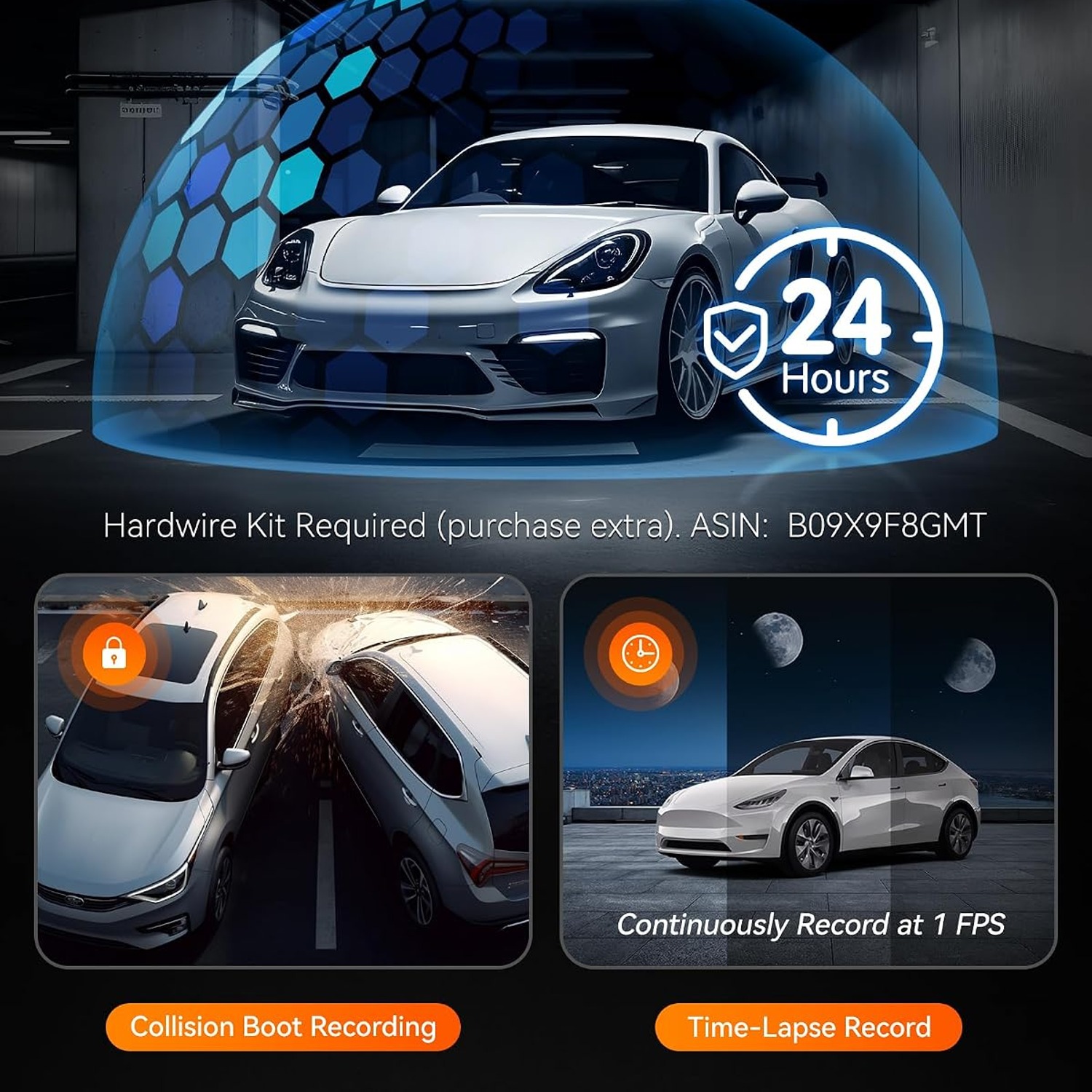
A parking monitor function is supported, with impact triggered recording and time-lapse options available when the camera is powered through a dedicated hardwire kit rather than the cigarette socket. Loop recording keeps the card cycling so you never run out of space, and the G-sensor locks files when it detects a knock. Power comes through a Type-C socket and the design uses super capacitors instead of a lithium battery, a choice that suits cars that sit in hot sun.

Not sure yet? That is fine.

A camera has to suit the job you bought it for, and you cannot always judge that from a photograph. If it is not right for you, send it back within 14 days of delivery in resaleable condition and we refund the price you paid, including standard delivery. That is on top of your Australian Consumer Law rights if anything arrives faulty.

If it turns up faulty, damaged or not as described, that is on us. The Australian Consumer Law and the Competition and Consumer Act 2010 covers you, and we pay the return postage. Read the full detail on our refunds and returns page, or ask us anything before you order.

Frequently Asked Questions

What does a 3 channel dash cam actually record?

It records three separate video streams at once, one facing the road ahead, one facing into the cabin, and one facing out the back of the car. All three are saved to the same microSD card as MP4 files. That gives you a fuller account of an incident than a single forward camera can.

Is this a good choice for Uber or taxi work?

Yes, the interior camera with infrared night vision is the feature that makes it a rideshare dash cam rather than a basic road camera. It keeps the cabin visible after dark without a visible light that would bother passengers. Many drivers look for the best dash cam for uber drivers for exactly this reason.

What resolution does it record at?

The listed video capture resolution is 1440p. The supplier information also notes that when the rear camera is not connected, the front camera can run at a higher setting. Actual file sizes vary depending on which channels you have active.

How wide is the camera view?

The field of view is listed as 170 degrees. That is wide enough to take in adjacent lanes and most of the kerb on either side of the car. A wide angle helps capture vehicles that cut in from the side.

Does it come with a memory card?

Yes, memory storage capacity of 32 GB is listed as included. You can swap it for a larger card if you prefer longer recording before loop overwrite. The maximum supported card size is 512 GB.

What type of memory card does it use?

It uses microSD cards. For dash cam use, choose a high endurance card designed for continuous write cycles rather than a standard photo card. High endurance cards last much longer under constant recording.

How do I get the video off the camera?

The easiest way is over Wi-Fi using the phone app, where you can browse clips, download the ones you want and share them. You can also remove the microSD card and read it on a computer with a card reader. The computer route is handy when you want the GPS data displayed alongside the footage.

Does it have GPS?

Yes, GPS is built in. It records speed and position data, which is embedded with the video so you can see the route and the speed during playback on a computer. This extra context is often the deciding detail in an insurance discussion.

What is loop recording?

Loop recording means the camera keeps filming continuously and writes over the oldest unprotected footage when the card fills up. You never have to remember to clear the card. Files locked by the G-sensor or by you are kept aside and not overwritten.

What does the G-sensor do?

It detects sudden impacts or hard braking and automatically locks the file covering that moment. A locked file is protected from loop overwrite. That way the clip you actually need is still there days later.

Can it record while the car is parked?

Parking monitor is listed as a feature, with impact triggered recording and a time-lapse mode. Both parking modes need the camera to be powered through a dedicated hardwire kit rather than the cigarette lighter socket, because the socket usually loses power when the engine is off. The hardwire kit is sold separately.

What is time-lapse parking mode?

Time-lapse mode records at a reduced frame rate while the car is parked, so many hours of surveillance compress into a short file you can scan quickly. It uses less power and less card space than full recording. It is useful for long stays in public car parks.

How is it powered?

Power comes through a Type-C socket on the camera body. For normal driving use you connect it to the car power outlet with the supplied cable. For parking modes you need a hardwire kit connected to the fuse box.

Does it have a battery inside?

Batteries are listed as not included, and the supplier notes the design uses super capacitors rather than a lithium battery. Capacitors cope better with heat than batteries do, which matters for a device that sits on a windscreen. They store just enough charge to close the current file safely when power is cut.

Will it survive a hot car?

The super capacitor design is chosen specifically for temperature tolerance, which is one reason people shopping for the best triple lens dash cam look at capacitor models. Still, park in shade where you can and avoid leaving cables stretched tight across hot glass. Extreme heat is hard on any electronics.

How big is the unit?

The listed item dimensions are 120 mm deep by 35 mm wide by 78 mm high and the weight is 143 g. It is light enough to sit on a windscreen mount without sagging. Most owners tuck it behind the rear view mirror where it is out of the driver's eyeline.

Is there a screen on the camera?

Yes, there is a 3 inch LCD display. You use it to set up the camera, check the framing on each lens and play clips back without a phone. It is the quickest way to confirm all three channels are live after installation.

Where should I mount the rear camera?

Most people mount it high on the inside of the rear windscreen, centred and clear of the heating element lines where possible. Keep the cable tucked under the headlining and trim rather than loose across the cabin. Check your local rules on windscreen mounted devices before you fix anything permanently.

Does it work in the dark?

Night vision is listed as a feature and the interior camera uses infrared, which is what makes it one of the better options for anyone wanting the best dash cam for night driving. The front camera relies on an f/1.8 aperture and street lighting. Road sign and plate legibility at night depends on lighting and distance, as it does with any camera.

Can passengers tell they are being recorded?

The unit is visible on the windscreen and the screen shows recording status. Infrared LEDs give off only a faint red glow, so the cabin stays dark. Many rideshare drivers add a small notice sticker, and in some places that notice is a legal requirement.

Are there any privacy rules I should know about?

Rules about recording passengers and audio vary by country and by state or territory. Check what applies where you drive before you record inside the cabin. Where notice is required, a small visible sign usually satisfies it.

Can I turn the interior camera off?

The cabin channel can generally be disabled in the camera settings if you only want front and rear coverage. Check the included user manual for the exact menu path on this model. Turning a channel off also reduces how much card space you use.

Does it record audio?

Dash cams of this type normally include a microphone with an option to mute it in the settings. The maker does not list the microphone specification. Mute it if local rules require consent for audio recording.

What file format does it save?

Video is saved as MP4, which plays on virtually any phone, tablet or computer without extra software. That makes it simple to send a clip to an insurer or a workshop. MP4 also keeps file sizes reasonable for the recording quality.

Do I need the app to use it?

No, the camera works on its own and you can review footage on the 3 inch screen. The Wi-Fi app just makes browsing and sharing much faster. People looking for the best wifi dash cam usually want that phone connection for exactly this convenience.

How long does 32 GB of recording last?

It depends on how many channels you run and the quality setting, but a 32 GB card typically holds a few hours of three channel footage before looping. If you want more history before overwrite, fit a larger high endurance card. The unit supports up to 512 GB.

Will it work in my car?

Compatible vehicle type is listed as car, and it mounts to the windscreen with power from a standard vehicle outlet. It suits most sedans, hatchbacks, wagons and SUVs. Very steeply raked or heavily tinted windscreens may need some thought about placement.

How do I look after it?

Wipe the lenses with a microfibre cloth and keep fingers off the glass. Format the microSD card in the camera every few weeks so the file structure stays clean. If you ever see recording errors, replace the card first before assuming the camera is at fault.

Does this make a good gift?

It is a practical gift for a new driver, a family member who commutes a lot, or anyone doing rideshare work. The 32 GB card is included so it can be used straight away. Keep the receipt with the box in case they want to swap it for a different setup.

What if it is not right for me?

If the camera does not suit your vehicle or your needs, contact us and we will walk you through the returns process for your country. Keep the original packaging and all accessories, and do not format or discard the included card. We will sort out a return or exchange within the published returns window.

How to Choose a 3 Channel Dash Cam, A Practical Buyer's Guide

6 min read Camera Company

The problem a three camera setup actually solves

Most people buy their first dash cam after something happens. Someone reverses into the door at the shops and leaves. A driver merges without looking and then tells a very different story to the insurer. A passenger makes a complaint that has no basis in fact. In each case there is a gap between what happened and what can be proved, and that gap is expensive.

A single forward camera closes part of that gap. It is good for head-on incidents and for red light disputes. But a huge share of real world claims involve something the front lens never sees. Rear end collisions happen behind you. Car park damage often happens at the back corner. And anything involving a person inside the vehicle needs a camera pointed at the cabin.

That is why three channel systems became the default for drivers who carry passengers for a living, and increasingly for ordinary commuters too. Three angles, one device, one card, one timeline. When you pull up a clip, you see the road ahead, the people in the car and the traffic behind, all stamped with the same time.

How the WOLFBOX i07 works

The main unit mounts to the windscreen, usually tucked behind the rear view mirror where it stays out of your line of sight. Inside that body are two cameras. One looks forward through the glass. The other looks back into the cabin. A third camera, on a long cable, mounts to the rear windscreen and looks out behind the car.

The front lens has an f/1.8 maximum aperture and a CMOS sensor, with a listed field of view of 170 degrees and a video capture resolution of 1440p. The wide angle is what lets it pick up vehicles entering from the sides, which is where a lot of intersection trouble starts.

The cabin camera is the one that separates this from a standard front and rear kit. It uses infrared LEDs, which means it can see in a dark car at night or in an underground car park without lighting up the interior. Passengers are not sitting in a glare. The camera just works.

Recording runs in a loop. The camera keeps filming and writes over the oldest unprotected footage as the card fills, so you never need to clear it manually. A G-sensor watches for sudden impacts and locks the file around any jolt it detects, which keeps that clip safe from being overwritten later.

Storage is microSD. A 32 GB card is included and the camera supports cards up to 512 GB. Files are saved as MP4, which plays on anything without special software.

GPS and the phone app

Built-in GPS runs alongside the video and records speed and coordinates. When you play a file back on a computer, that data appears with the footage. It turns a clip into a record with context, and that context often settles a dispute faster than the pictures alone. If someone claims you were speeding, the file shows otherwise.

Wi-Fi handles the day-to-day work. You connect your phone to the camera, open the app, and browse the recordings. Save what you need, trim it and send it straight to your insurer or to the other driver. That is far quicker than digging the card out and finding a reader, and it is the main reason people shopping for the best car camera with app end up on three channel models like this one.

There is also a 3 inch LCD on the unit itself. It matters most at installation, when you are nudging each lens into the right position and checking that all three channels are live. After that it is handy for a quick look at a clip before you have your phone out.

Who it suits

Rideshare and taxi drivers are the obvious group. If you carry strangers, a cabin camera is basic protection for both sides, and the infrared makes it work on the late shift when you need it most. Anyone comparing the best taxi dash cam options will find the interior channel is the deciding feature.

Parents of new drivers are the second big group. Three angles give a clear picture of how a car is actually being driven, and the GPS speed data takes the argument out of it.

Fleet operators and small business owners use them for the same reason, scaled up. A van that visits twelve sites a day collects a lot of risk, and a record of each trip is worth having.

Then there are ordinary commuters who just want to stop worrying about the car park. If your car sits in a public bay all day, impact triggered parking recording is a genuinely useful thing to own.

How to choose and set it up well

Start with the card. This is the single most common point of failure in any dash cam, and it has nothing to do with the camera. A dash cam writes constantly, and a standard photo card is not built for that. Buy a high endurance microSD card rated for continuous recording. The included 32 GB card gets you going, and moving up to a larger card simply means more history before the loop overwrites.

Think about power next. For normal driving, the Type-C cable into a vehicle outlet is all you need. But if you want parking surveillance, the socket usually dies when the ignition is off. You will need a hardwire kit connected to the fuse box, which is what enables both the impact triggered mode and the time-lapse mode. A hardwire kit is a separate purchase and many people have an auto electrician fit it in under an hour.

Placement is worth a few minutes of care. Mount the main unit high and central, right against the mirror, so it does not block your view. Run the rear camera cable along the headlining and down the pillar trim rather than letting it hang. Angle the front lens so the horizon sits roughly a third of the way down the frame, which gives you road detail without wasting half the picture on sky.

Check your local rules before you commit. Windscreen mounting regulations, audio recording consent, and passenger notification requirements all vary. In many places a small sticker in the cabin covers the notice requirement, and it takes two minutes to apply.

Keeping it reliable

Dash cams are low maintenance, but they are not zero maintenance. Wipe the lenses with a microfibre cloth every so often, since a film of dust on the glass softens the whole image. Avoid touching the lens surface with your fingers.

Format the card in the camera every few weeks. This clears accumulated file fragments and keeps the write performance steady. It is the single habit that prevents most of the "my camera stopped recording" complaints. If you start seeing errors after a format, replace the card rather than the camera.

Heat is the other thing to manage. This unit uses super capacitors rather than a lithium battery, a design choice that handles high cabin temperatures better. Even so, park in shade where you can, and avoid pulling cables tight across sun-baked glass.

The short version

A three channel dash cam gives you the forward view, the cabin view and the rear view on one timeline. The WOLFBOX i07 does that from a compact 143 g body with a 3 inch screen, 1440p capture, a 170 degree field of view, built-in GPS and Wi-Fi for phone transfers. The infrared cabin camera is what makes it genuinely useful for rideshare, taxi and anyone who regularly carries passengers after dark.

Fit a high endurance card, mount it behind the mirror, and add a hardwire kit if you want parking protection. Then forget about it until the day you need the footage, which is exactly how a dash cam should work.

Browse the shop

Not sure which dash cam setup fits your car?

Tell us what you drive and how you use it, and we will point you to the right camera and card combination.

Ask us a question

Page summary

The WOLFBOX i07 is a 3 channel dash cam that records the front road view, the vehicle cabin and the rear at the same time from one unit mounted behind the rear view mirror. Listed video capture resolution is 1440p with a 170 degree field of view, an f/1.8 maximum aperture and a CMOS sensor. The cabin camera uses infrared night vision, which suits rideshare and taxi drivers. It has built-in GPS, Wi-Fi app connectivity and a 3 inch LCD display. Storage is microSD, with a 32 GB card included and support up to 512 GB. Video is saved as MP4. The unit measures 120 x 35 x 78 mm and weighs 143 g. Parking monitor modes require a separate hardwire kit. Colour, material and country of origin are not specified by the maker.