Camera Company
Company
Shop By Category
T&Cs
Shop Online
  • The maker's specifications on every page
  • Free tracked Australia-wide delivery over $150
  • 14-day returns

3K Dash Cam with Voice Control | Front dash cam wifi | Rotating dash cam

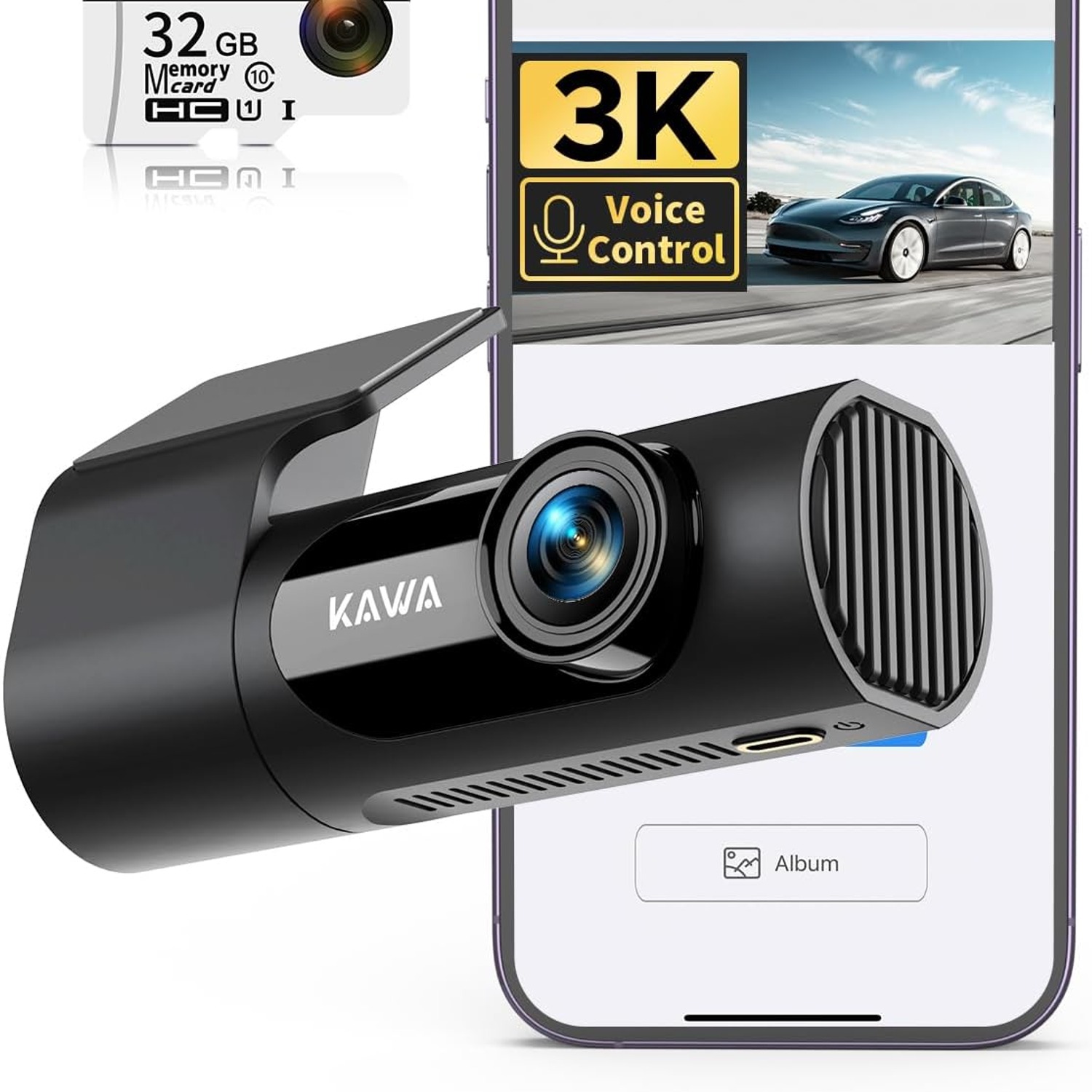
KAWA D6 3K Voice Control Dash Cam with Built-In WiFi

$101.99 $121.99 Save $20
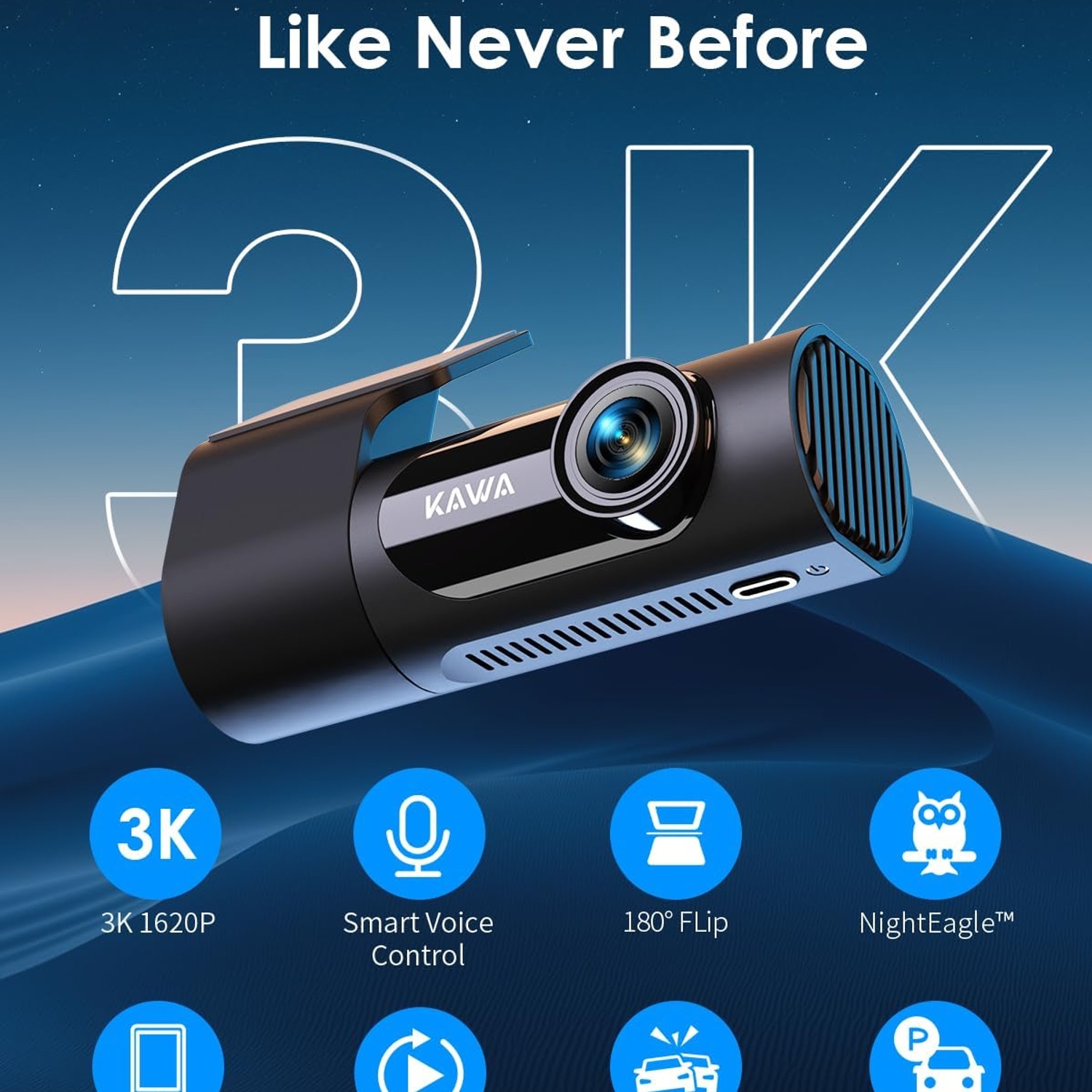
  • Eight Voice Commands
  • 3K 1440p Recording
  • Phone App Transfer
  • G-Sensor Lock

Price: $101.99 $121.99

  • Free tracked Australia-wide delivery on orders $150+, otherwise a flat $15
  • Pay by card or PayPal, handled by the payment provider
  • 14 days to change your mind, plus your statutory rights
Product specifications
ModelKAWA D6
Video Resolution1440p (3K)
Frame Rate30 FPS
Field Of View145 degrees
SensorCMOS
DisplayLCD
ConnectivityBuilt-in Wi-Fi
Mounting TypeHidden design mount
Memory Card TypemicroSD
Card Included32 GB
Maximum Card Supported256 GB
Memory Card Slots1
BatteryIncluded, lithium metal cell
Key FeaturesVoice control, WDR night vision, NightEagl engine, parking monitor, built-in supercapacitor
Compatible VehiclesCar, minivan, bus, truck, motorcycle
ColourBlack
Item Dimensions12.4 W x 4.8 H x 2 D cm
Weight227 g
Weight227 g
Shipping & returns

Tracked delivery anywhere in Australia. It is free on orders of $150 or more, and a flat $15 below that.

If it is not right for you, send it back within 14 days of delivery in resaleable condition and we refund the price you paid, including standard delivery. That is a voluntary policy we offer on top of your legal rights. You cover the cost of returning it unless the item is faulty.

If it arrives faulty, damaged or not as described, we put it right at no cost to you under the Australian Consumer Law and the Competition and Consumer Act 2010, return postage included.

Shipping details · Refunds and returns

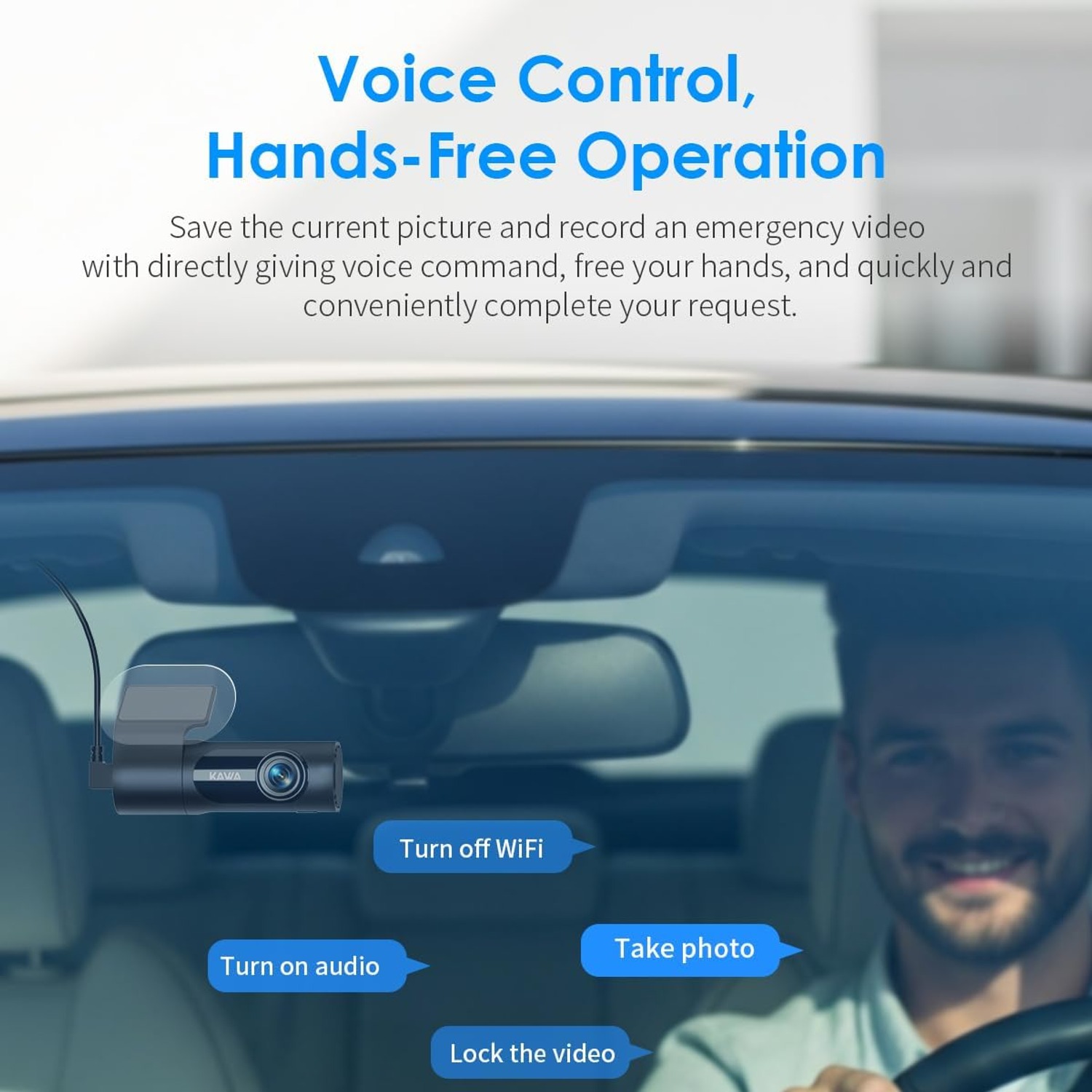
Eight Voice CommandsLock a clip, take a photo or switch WiFi on without touching a button.
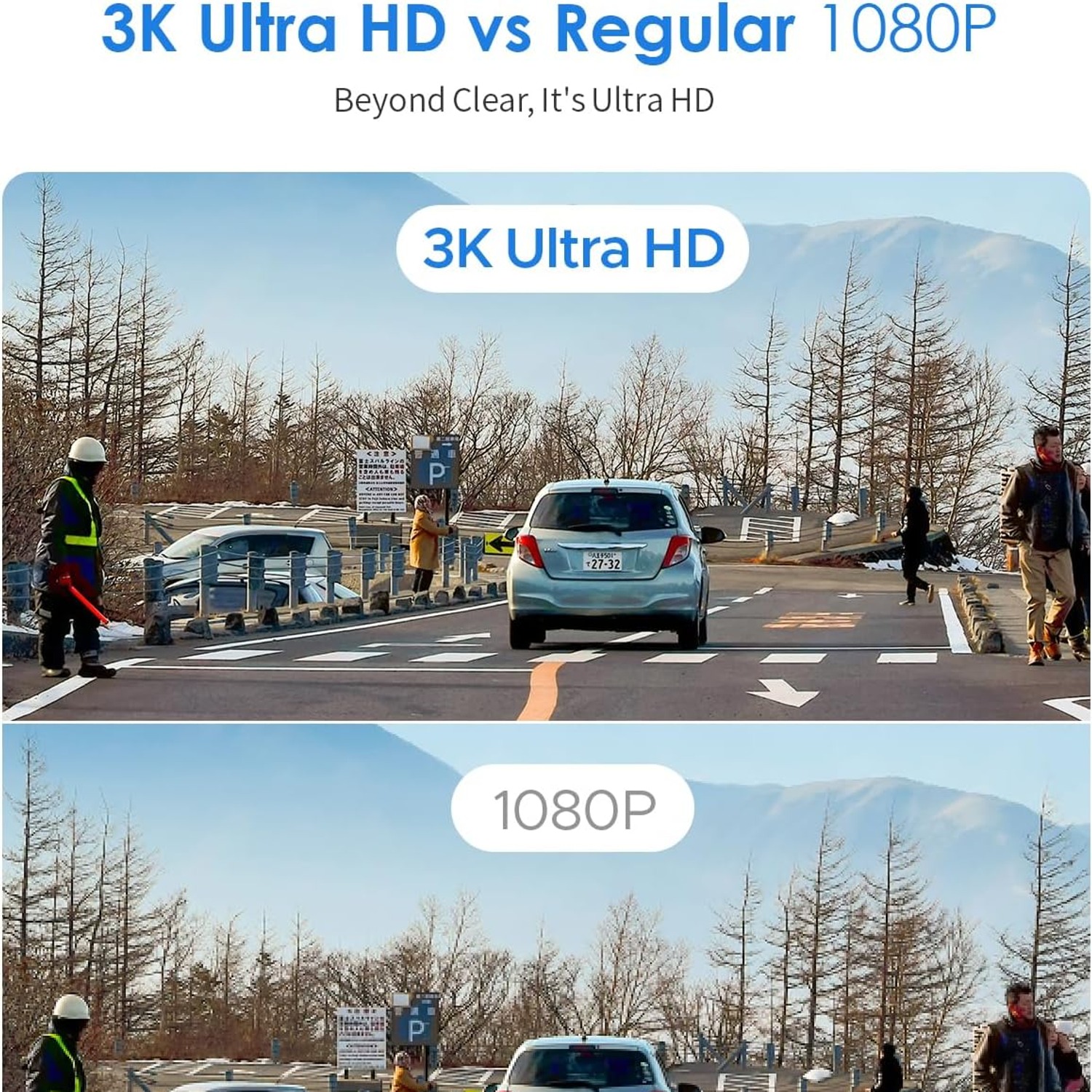
3K 1440p RecordingSharper than 1080p, so plates and signs stay readable.
Phone App TransferBuilt-in WiFi sends clips to your phone without mobile data.
G-Sensor LockA sudden jolt locks the footage so loop recording cannot erase it.

Keep both hands on the wheel while a 3K dash cam with voice control quietly records every kilometre of your drive.

Records 1440p video at 30fps across a 145 degree view, with built-in WiFi, WDR night vision, loop recording, a G-sensor emergency lock and a 32GB card already in the box.

Records at 1440p across a 145 degree field of view, which is enough width to cover your lane plus the lanes either side.

Eight voice commands let you lock a clip or grab a photo while both hands stay on the wheel.

Built-in WiFi pairs the camera to the KAWA app so you can watch, download and share clips straight from your phone.

The slim hidden-design mount tucks the body up behind the mirror area, keeping your windscreen clear.

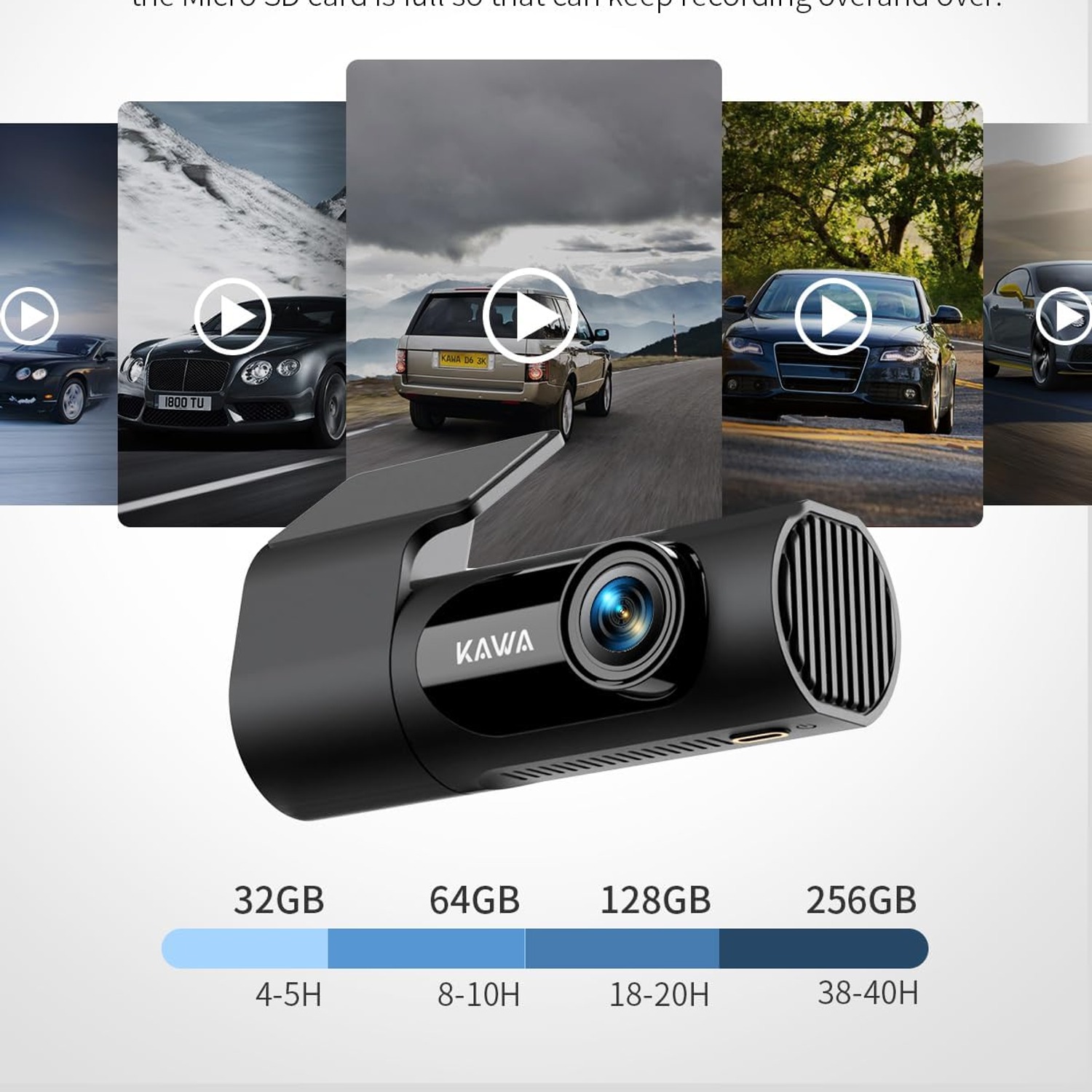
A 32GB microSD card is included and the camera accepts cards up to 256GB for longer loop recording.

KAWA D6 3K Voice Control Dash Cam with Built-In WiFi

Most people only think about a dash cam the day after they needed one. A car reverses into your door in a shopping centre car park, someone brake-checks you on a motorway on-ramp, or a driver changes their story at the kerbside. Without video, it comes down to two accounts and an insurer trying to split the difference. The KAWA D6 sits quietly behind your mirror and records the whole drive at 1440p, so the detail is there if a claim ever comes up.

KAWA D6 3K Voice Control Dash Cam with Built-In WiFi

The 3K resolution matters more than it sounds. Standard 1080p cameras usually capture enough to show that something happened, but not always enough to read a number plate on a car two lanes over or at a distance. Stepping up to 1440p across a 145 degree lens gives you more pixels spread over the same width of road, which is the difference between useful footage and footage that only confirms you were there.

KAWA D6 3K Voice Control Dash Cam with Built-In WiFi

Voice control is the feature drivers end up using most. Eight commands cover the jobs you would otherwise do with a fingertip on a small button while moving, things like locking the current clip or taking a still photo. Say the command and the camera does it. If something happens on the road ahead that you want saved, you can protect that file without taking a hand off the wheel or your eyes off traffic.

KAWA D6 3K Voice Control Dash Cam with Built-In WiFi

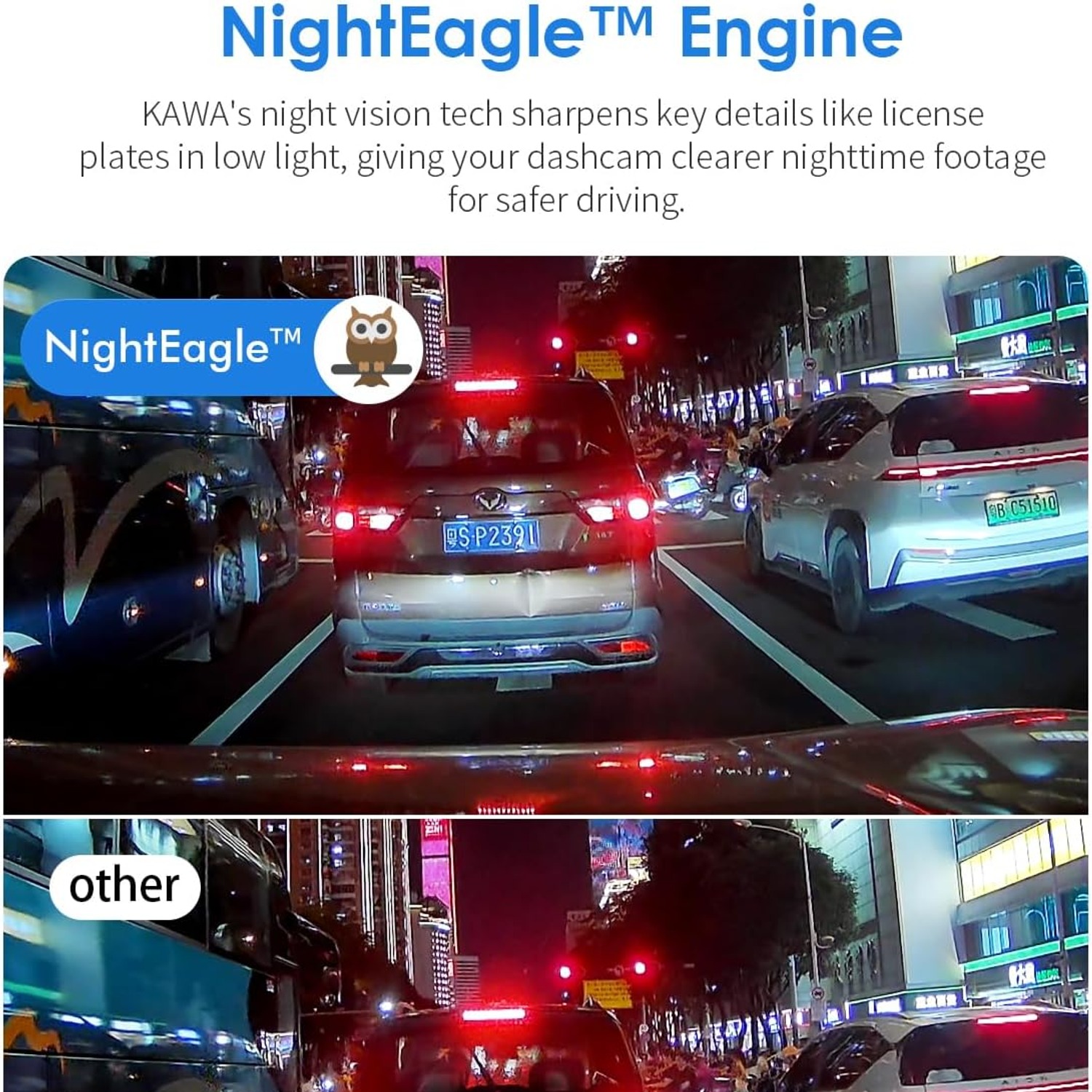
For night driving, the camera combines WDR with KAWA's NightEagl processing. WDR balances the bright and dark parts of a frame, which is what stops oncoming headlights from blowing out the middle of the image and hiding everything around them. The result on unlit suburban streets and at service station forecourts is a picture with more usable shadow detail than a basic camera produces.

KAWA D6 3K Voice Control Dash Cam with Built-In WiFi

Day to day, the camera looks after itself. Loop recording writes over the oldest unprotected footage once the 32GB card fills, so you never have to clear it manually, and the G-sensor locks a clip automatically if it detects an impact. A built-in supercapacitor handles the heat cycles of a parked car better than a standard battery pack, and the parking monitor keeps watch while you are away from the vehicle. When you want a clip, the WiFi link and app pull it onto your phone in a minute or two.

Not sure yet? That is fine.

A camera has to suit the job you bought it for, and you cannot always judge that from a photograph. If it is not right for you, send it back within 14 days of delivery in resaleable condition and we refund the price you paid, including standard delivery. That is on top of your Australian Consumer Law rights if anything arrives faulty.

If it turns up faulty, damaged or not as described, that is on us. The Australian Consumer Law and the Competition and Consumer Act 2010 covers you, and we pay the return postage. Read the full detail on our refunds and returns page, or ask us anything before you order.

Frequently Asked Questions

What exactly is this product?

It is a front-facing car dash cam, the KAWA D6, that mounts to your windscreen and records video while you drive. It captures 1440p footage at 30 frames per second through a 145 degree lens. A 32GB microSD card comes in the box so you can use it straight away.

What does 3K resolution actually mean here?

The listed video capture resolution is 1440p, which is often marketed as 3K. It sits between standard 1080p Full HD and 4K, giving you noticeably more detail than a 1080p camera without the very large file sizes of 4K. More detail usually means a better chance of reading a number plate.

How wide is the view?

The lens covers 145 degrees, which the supplier lists as the real angle of view rather than a diagonal marketing figure. In practice that is wide enough to take in your own lane plus the lanes on either side. It helps when something happens at the edge of your vision.

Does it record the rear of the car too?

No. This is a front-only camera, so it records the road ahead through your windscreen. If you want rear coverage as well, you would need a separate rear camera or a dual-channel system.

What are the voice commands used for?

There are eight voice commands covering common tasks such as locking the current video, taking a photo and turning WiFi on. You speak the command and the camera acts on it. The point is that you keep both hands on the wheel while driving.

Do I have to use voice control?

Not at all. The camera has an LCD display and physical controls, so you can operate everything by hand when parked. Voice control is there for the moments when reaching for a button would be a distraction.

How does the WiFi work?

The camera creates its own WiFi connection that your phone joins directly. You then use the KAWA app to view the live feed, browse recordings and download clips. Because the link is direct, it does not use your mobile data allowance.

Can I share a clip straight to someone?

Yes. Once a clip is downloaded to your phone through the app, it behaves like any other video file on your device. You can message it, email it or send it to an insurer the same way you would share a photo.

What is loop recording?

Loop recording means the camera records in short segments and, when the card is full, writes over the oldest unprotected segment. You never have to remember to clear the card. Any clip locked by the G-sensor or by voice command is skipped over and kept.

What does the G-sensor do?

The G-sensor detects sudden movement, such as a collision or hard braking. When it triggers, the camera locks the current clip so loop recording cannot overwrite it. That is what preserves the footage you are most likely to need.

What is the parking monitor?

Parking monitor keeps the camera watching the front of the vehicle while it is parked rather than shutting down completely when you switch off. It is one of the features listed for this model. How it behaves in your car depends on how the camera is powered when the ignition is off.

Does it come with a memory card?

Yes, a 32GB microSD card is included. That is enough for several hours of looped footage before the camera starts overwriting. You can fit a larger card later if you want a longer window.

What is the biggest memory card it takes?

The maximum supported flash memory size is 256GB, in a single microSD slot. A larger card simply means more hours of recording before the loop starts overwriting old files. Use a card rated for continuous video writing.

How long will 32GB record for?

That depends on the bitrate the camera uses at 1440p, which is not specified by the maker. As a rough guide, a card of that size typically holds a few hours of continuous dash cam footage before looping. Any locked clips stay put regardless.

Is it good at night?

It combines WDR with KAWA's NightEagl processing, both aimed at low-light recording. WDR balances bright headlights against dark surroundings so the middle of the frame does not wash out. Among 1440p cameras, this is positioned as one of the better options for night driving.

How big is the unit?

It measures 12.4 cm wide, 4.8 cm high and 2 cm deep, and weighs 227 g. The width comes from the slim, horizontal hidden-design body rather than a bulky box shape. It is made to tuck up near the mirror.

Will it block my view of the road?

The hidden design mount is built to sit low-profile against the windscreen, usually behind or beside the rear-view mirror. Mounted there, it stays out of your sightline. Always check your local rules on windscreen-mounted devices before fitting.

What vehicles does it suit?

The supplier lists it as compatible with cars, minivans, buses, trucks and motorcycles. Anything with a windscreen and a 12V power source is usually straightforward. For a truck or bus, the wide 145 degree lens is helpful given the larger blind spots.

Is it suitable for rideshare or delivery drivers?

It suits anyone spending long hours on the road, which is why drivers often look for the best dash cam for uber drivers. The loop recording handles long shifts without intervention and the voice lock lets you save an incident mid-drive. Remember this model records the road ahead, not the cabin.

How is it powered?

Dash cams of this type run from the vehicle's 12V supply, typically through the accessory socket or a hardwired connection. The camera also has a built-in supercapacitor and an included battery cell. The specific cable arrangement in the box is not detailed in the maker's details.

Why a supercapacitor instead of a battery?

Supercapacitors cope better with the temperature swings inside a parked car, especially heat. They are mainly there to let the camera save and close the current file cleanly when power drops. This unit lists a built-in supercapacitor alongside an included battery cell.

Does it have a screen?

Yes, it has an LCD display. That makes it easy to line up the lens when you first fit it and to check settings without a phone. For everyday viewing of clips, most people use the app instead.

How do I install it?

Clean the glass, fit the mount behind the mirror, point the lens at the road and run the power cable around the headlining and down the A-pillar to the power socket. Most people manage it in under half an hour. Tuck the cable so it never interferes with airbags or your view.

Do I need to do anything to maintain it?

Keep the lens and the glass in front of it clean, since a smeared windscreen ruins otherwise good footage. Format the memory card in the camera every few weeks to keep the file system tidy. Replace the card if recordings start to drop out.

Can I take it out and use it in another car?

Yes. The camera is small and light at 227 g, so moving it between vehicles is mostly a matter of swapping the mount and running the cable again. A spare mount and cable makes that quicker if you switch often.

Will heat damage it if I leave it in the car?

Electronics in a parked car face high temperatures in summer. The supercapacitor design is better suited to that than a standard battery pack, but it is still sensible to shade the windscreen or remove the camera during long hot spells. Avoid leaving it in direct sun for days at a time.

Does it record audio?

The camera responds to voice commands, so it has a microphone. Audio recording during driving is a common dash cam feature but is not explicitly confirmed in the maker's details. Check the in-camera settings once you have it, and check your local rules on recording passengers.

What colour is it?

It is black, which is the usual choice for a dash cam since it blends in against a dark headlining and tinted strip at the top of a windscreen. The body is a slim horizontal shape. No other colour option is listed.

Does it make a good gift?

It is a practical gift for a new driver, a commuter or someone who drives for work. The included 32GB card means it works out of the box with nothing extra to buy. Dash cams also suit people who are hard to shop for, because few buy one for themselves until they wish they had.

What if it is not right for me?

If the camera does not suit your vehicle or your needs, contact us and we will walk you through the returns process for your country. Keep the box, the mount and the memory card together, as returns go more smoothly when everything is complete. Tell us what did not work, since it often helps us point you to a better match.

Choosing a 3K Voice Control Dash Cam, A Practical Buyer's Guide

6 min read Camera Company

The problem a dash cam quietly solves

Almost nobody buys a dash cam because they are excited about it. People buy one after something happened. A car reversed into them in a car park and drove off. Someone pulled across three lanes and then claimed it was the other way around. A delivery van clipped a mirror in a narrow street. In each case the facts were obvious to the person who was there, and completely unprovable five minutes later.

Insurance claims without evidence tend to land somewhere in the middle. That usually means a shared excess, a hit to a no-claims record and weeks of back and forth. Video changes the shape of that conversation. A clip that shows the sequence of events, with a readable number plate, takes the argument out of it.

That is the whole job of a camera like the KAWA D6. It sits behind your mirror, powers up when you start the car, records the road ahead and gets out of the way. If nothing happens, you never think about it. If something does, the footage is already saved.

What 1440p buys you over 1080p

Resolution is where most dash cam shopping starts, and it is worth understanding what the numbers mean in practice.

A 1080p camera records 1920 pixels across the frame. Spread that across a wide lens covering three lanes of traffic and a fair chunk of sky, and each individual object gets a fairly small slice of those pixels. You will clearly see a car change lanes. Whether you can read its plate depends on how close it was and how fast everything was moving.

A 1440p camera, marketed as 3K, records 2560 pixels across. That is roughly a third more detail horizontally, and the difference shows up exactly where it matters, on small high-contrast things like registration plates and road signs. Plenty of people searching for the best 3k dash cam are really searching for that one capability.

The D6 records at 30 frames per second, which is standard for dash cams and perfectly adequate. Higher frame rates sound appealing but mostly eat card space. Thirty frames a second captures everything a collision investigation needs.

Field of view, and why wider is not always better

This camera has a 145 degree field of view, and KAWA lists that as the real angle rather than a diagonal measurement. That distinction matters, because some cameras quote a diagonal number that sounds much bigger than the width you actually get.

At 145 degrees you cover your own lane plus the lanes either side, and a good portion of the kerb and footpath. That is where side-swipes, merging incidents and pedestrians stepping out all happen.

Very wide lenses, beyond about 160 degrees, start to stretch objects at the edges and spread the same pixels over more scene. You see more, but in less detail. Around 140 to 150 degrees is the sweet spot most people settle on, which is where this camera sits.

Night driving is where cheap cameras fall apart

Daytime footage is easy. Any camera looks reasonable in bright sun. The test is a wet street at 9pm with oncoming headlights.

Two things cause problems after dark. The first is dynamic range. Headlights are extremely bright and everything around them is nearly black, and a basic sensor cannot handle both at once, so the middle of the frame blows out to white and swallows the detail you wanted. WDR, wide dynamic range, works by combining differently exposed captures so the bright and dark areas both stay readable.

The second is noise. Low light means the sensor has to amplify a weak signal, and amplification brings grain. KAWA applies its own processing, which it calls the NightEagl engine, to clean that up and preserve detail like plate characters. If you drive a lot after dark, pay attention to this part of a spec sheet. It separates the best dash cam for night driving from the ones that only work in daylight.

Hands-free control, and why it is more than a gimmick

Voice control on a dash cam sounds like a feature list filler until you need it. Picture it. A car in front brakes hard and swerves, something gets thrown from a window, a truck drifts into your lane. You want that moment saved before loop recording erases it in an hour.

Without voice control, saving it means finding a small button on a device mounted above your eyeline, while driving. Most people do not bother, or they do it badly and late.

With eight voice commands available, you say the word and the file locks. You also get photo capture and WiFi toggling by voice. For anyone comparing the best voice control dash cam options, this is the test to apply. Can you use the feature at 100km/h without looking away from the road?

Storage, loop recording and the G-sensor

A dash cam records constantly, so storage management has to be automatic.

Loop recording handles it. The camera writes short segments and, once the card fills, starts overwriting the oldest unprotected one. You never clear the card manually. The D6 ships with a 32GB microSD card and accepts up to 256GB, so you can extend the window of footage you keep if you want more than a few hours of history.

Protection is the other half. The built-in G-sensor detects an impact and immediately locks the current clip, marking it so the loop skips over it. Combined with voice locking, that covers both the incidents you feel and the ones you only see. This pairing is the core of any good loop recording dash cam.

One practical note. Use a card rated for continuous video. Ordinary cards used in phones are not designed for the constant rewriting a dash cam does and they wear out faster. Formatting the card in the camera every few weeks also keeps things stable.

Installation and keeping your windscreen clear

The mount on this model is a hidden design, meaning the body is slim and horizontal and tucks up tight against the glass. Fitted behind the rear-view mirror, it mostly disappears from the driver's seat. People looking for the best hidden dash cam are usually after two things, a tidy interior and a camera that does not advertise itself to anyone looking through the window.

Installation follows the same pattern in nearly every car. Clean the glass properly first, because adhesive mounts fail on dusty windscreens. Fit the mount behind the mirror, level the camera using the LCD screen, then tuck the power cable up into the headlining, down the A-pillar trim and across to the power socket. Keep the cable clear of any airbag paths.

The whole job takes most people twenty to thirty minutes. At 227 g the unit is light, so a clean mount holds it without drooping in hot weather.

Who this suits

Commuters get the most obvious value, since more time in traffic means more chances to need footage. Rideshare and delivery drivers benefit too, though this is a front-only camera, so it covers the road rather than the cabin.

The 145 degree lens is also useful in larger vehicles. The supplier lists compatibility with cars, minivans, buses, trucks and motorcycles, and bigger vehicles have bigger blind spots where a wide view genuinely helps.

Parents buying for a new driver often like the parking monitor as much as the driving footage, because car park damage is common and almost never witnessed.

Looking after it

Maintenance is light. Clean the lens with a microfibre cloth, never with paper towel or solvent. Keep the windscreen glass in front of the lens clean, since a film of grime will soften every recording no matter how good the sensor is.

Format the card in the camera periodically. If you park in full sun through summer, a sunshade helps, or take the camera off the mount on the hottest days. The built-in supercapacitor is designed to cope with heat better than a standard battery pack, but no electronics enjoy a baking dashboard.

The short version

If you want more detail than 1080p gives you, a sensible 145 degree view, and a way to save a clip without taking your hands off the wheel, this camera covers it. The 32GB card is already in the box, loop recording and the G-sensor run without input from you, and the WiFi app means getting footage onto your phone takes a couple of minutes rather than a trip to a computer.

Buy it, fit it, forget about it. That is the right relationship to have with a dash cam.

Browse the shop

Not sure if it suits your car?

Tell us what you drive and how you park, and we will help you work out whether this camera and card setup is the right fit.

Ask us a question

Page summary

The KAWA D6 is a front-facing dash cam that records 1440p (3K) video at 30 frames per second through a CMOS sensor with a 145 degree field of view. It supports eight voice commands for hands-free operation, has built-in Wi-Fi for transferring clips to a phone app, and uses a hidden-design mount with an LCD display. Features listed by the supplier include WDR night vision, KAWA's NightEagl engine, a parking monitor, loop recording, a G-sensor emergency lock and a built-in supercapacitor. A 32GB microSD card is included and cards up to 256GB are supported via a single slot. The unit is black, weighs 227 g and measures 12.4 x 4.8 x 2 cm. Material, country of origin and warranty are not specified by the maker.