Camera Company
Company
Shop By Category
T&Cs
Shop Online
  • The maker's specifications on every page
  • Free tracked Australia-wide delivery over $150
  • 14-day returns

2K Webcam with Light | Webcam with ring light | Webcam with privacy cover

papalook PA552 2K Webcam with Ring Light and Privacy Cover

$114.99 $137.99 Save $23
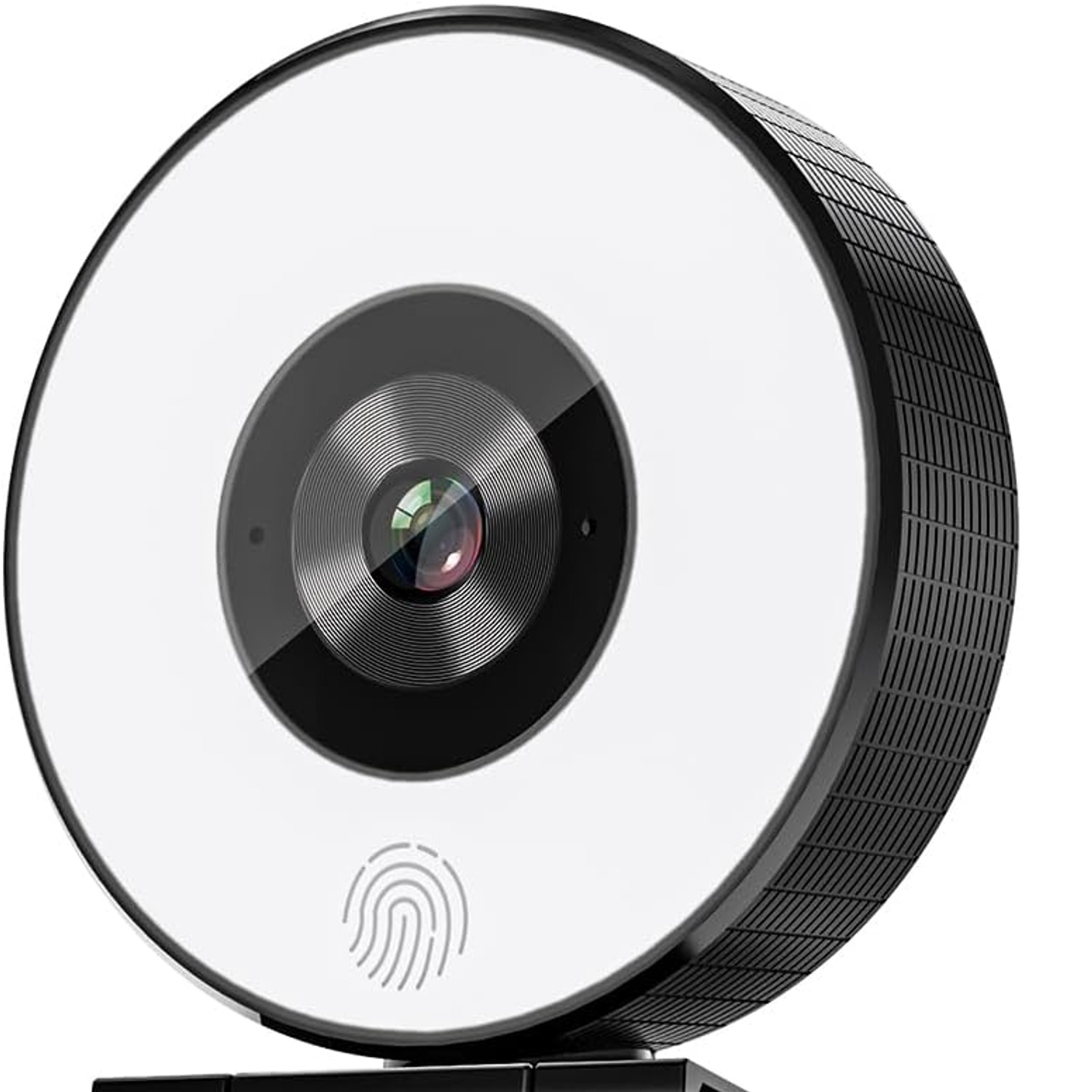
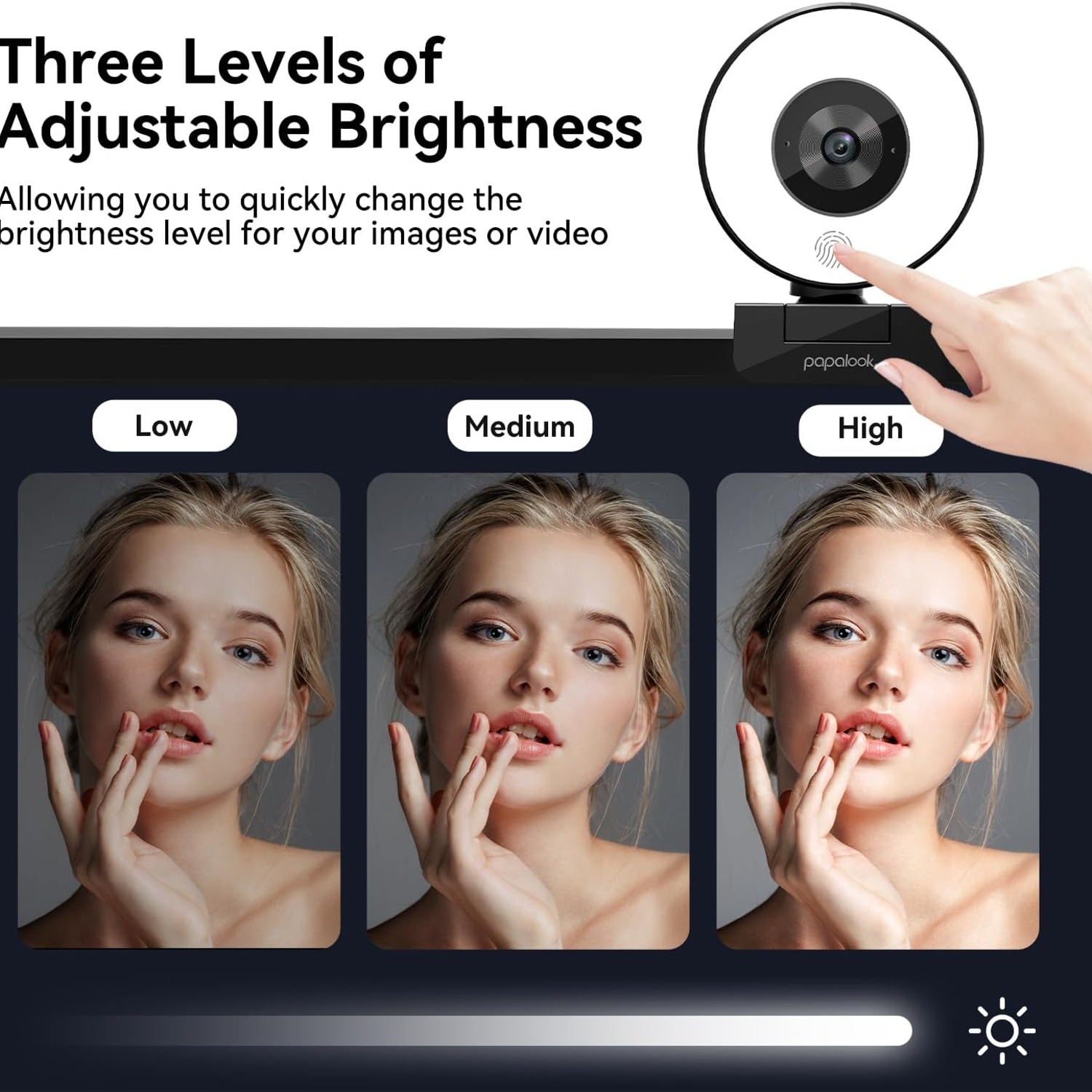
  • Touch Ring Light
  • Privacy Cover
  • Dual Microphones
  • Plug and Play

Price: $114.99 $137.99

  • Free tracked Australia-wide delivery on orders $150+, otherwise a flat $15
  • Pay by card or PayPal, handled by the payment provider
  • 14 days to change your mind, plus your statutory rights
Product specifications
Brandpapalook
Model NamePA552
Model NumberPA-PA552
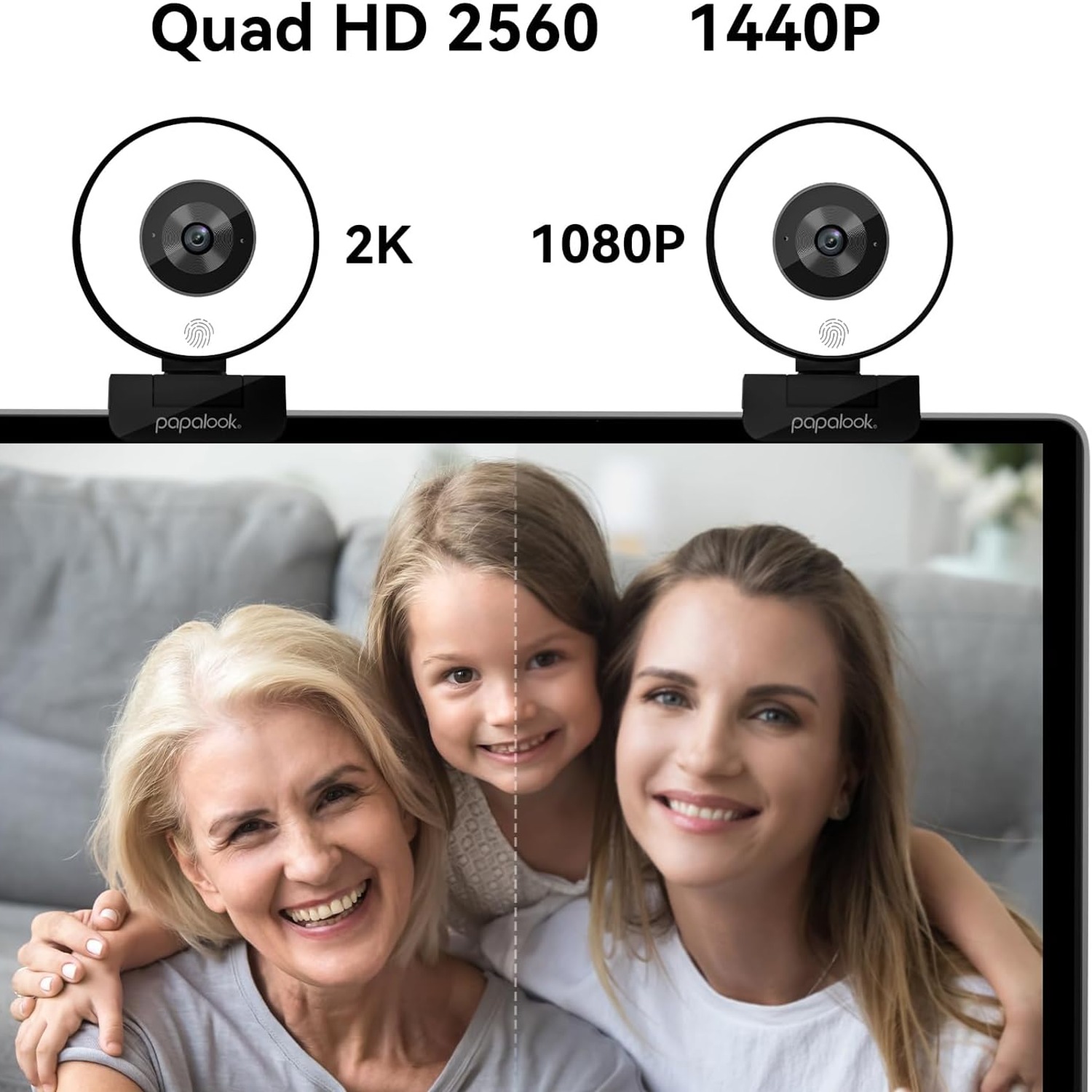
Video Resolution1080p Full HD at 1920 x 1080, 30fps
Display Resolution MaximumFHD
Video Capture FormatMP4
Lens TypeZoom
ZoomFixed
Maximum Focal Length1000 mm
Viewing Angle75 degrees
Sensor TypeOther
Image StabilisationNo
ConnectivityUSB
Special FeaturesBuilt-in light, microphone input
Supported Audio FormatsAAC, MP3
Flash Memory TypeMicro SD
Flash Memory Speed ClassC10
Flash Memory Video Speed ClassV6
Screen Size2 cm
ColourBlack
Item Dimensions (D x W x H)5 x 6.1 x 6.2 cm
Item Weight135.5 g
Batteries IncludedNo
Water ResistanceNot water resistant
ConditionNew
Weight135.5 g
Shipping & returns

Tracked delivery anywhere in Australia. It is free on orders of $150 or more, and a flat $15 below that.

If it is not right for you, send it back within 14 days of delivery in resaleable condition and we refund the price you paid, including standard delivery. That is a voluntary policy we offer on top of your legal rights. You cover the cost of returning it unless the item is faulty.

If it arrives faulty, damaged or not as described, we put it right at no cost to you under the Australian Consumer Law and the Competition and Consumer Act 2010, return postage included.

Shipping details · Refunds and returns

Touch Ring LightThree brightness levels you set with a tap, for dim rooms and late calls.
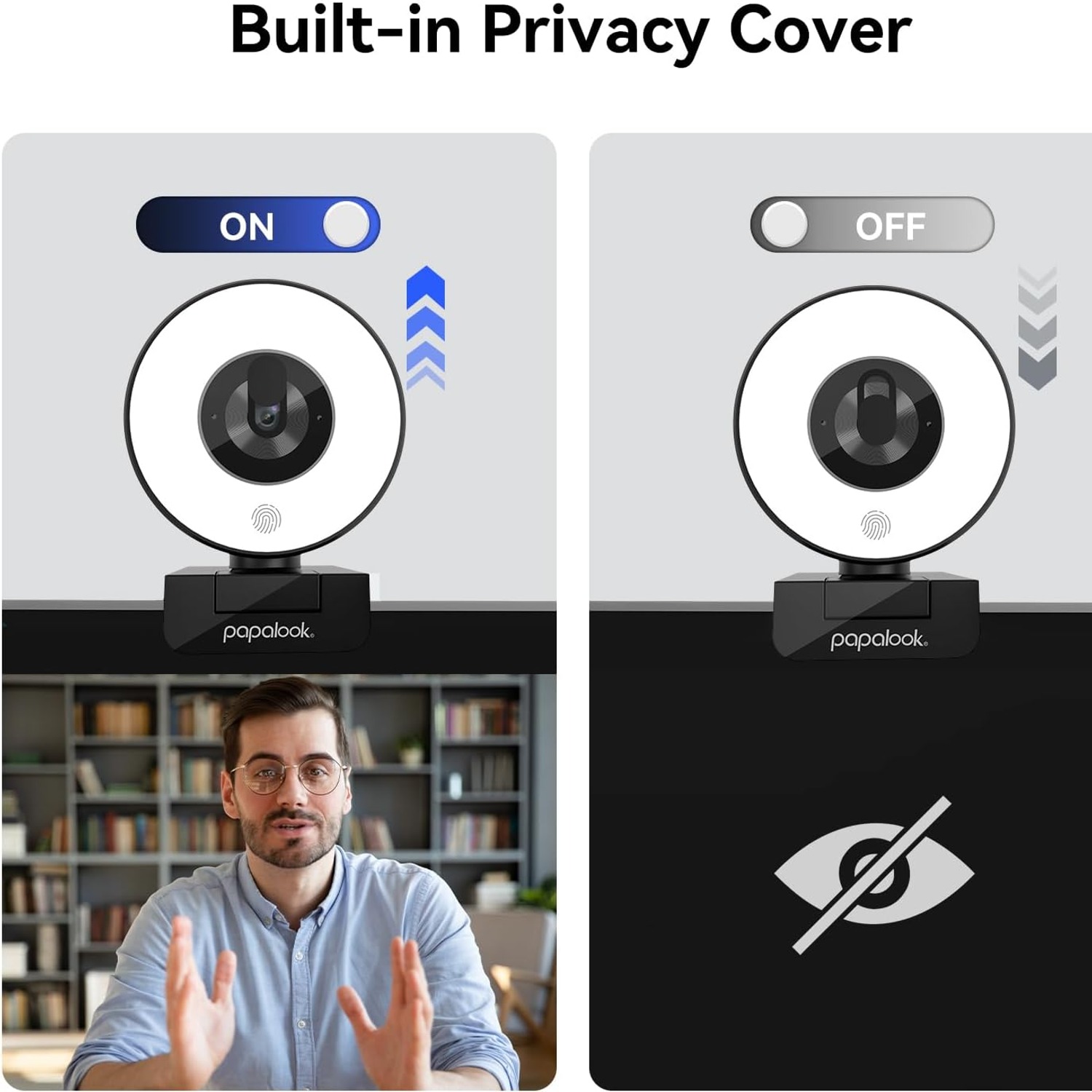
Privacy CoverA removable cover blocks the lens whenever the camera is idle.
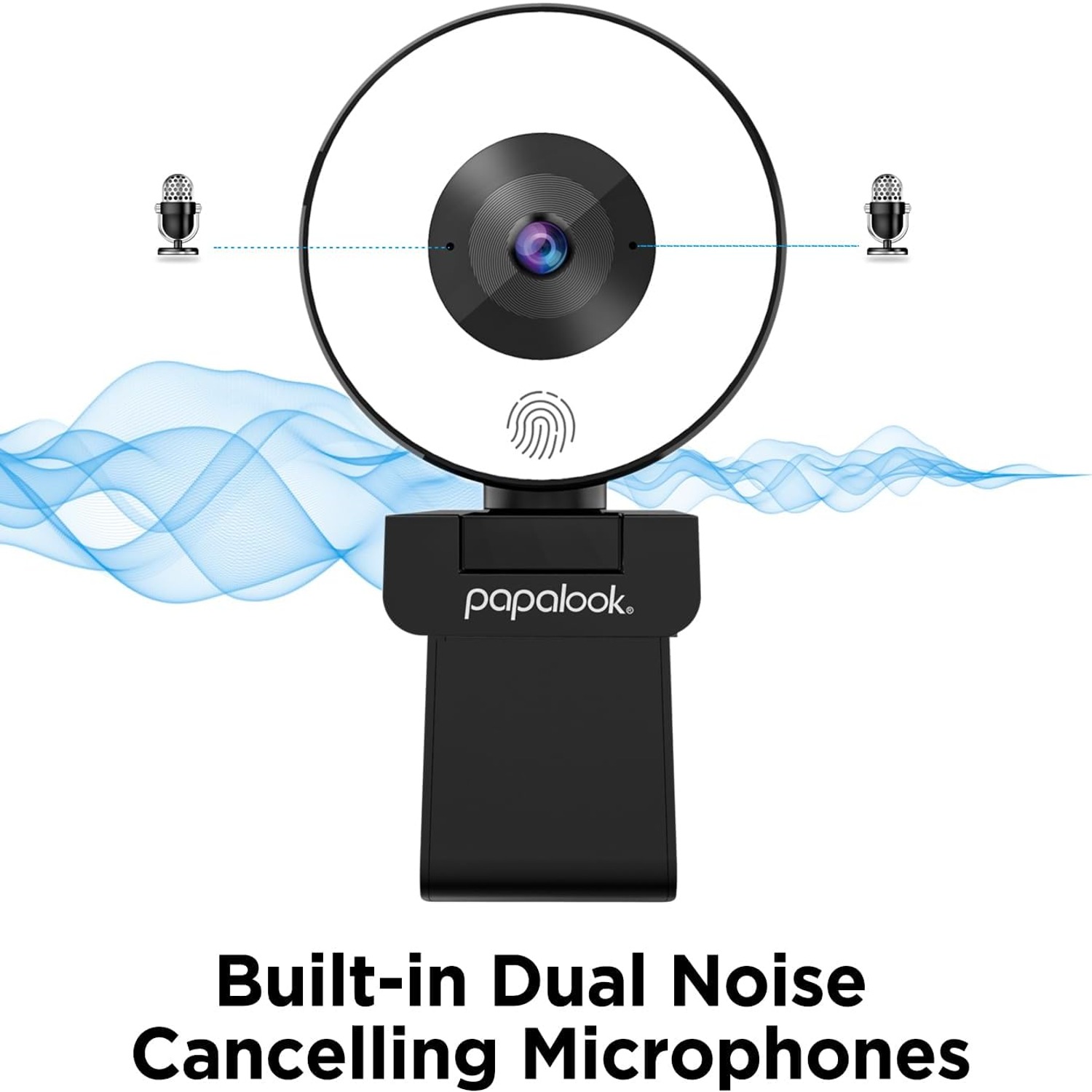
Dual MicrophonesTwo omnidirectional mics with noise reduction for clearer speech.
Plug and PlayUSB connection with no driver install on Windows, Mac, Linux or Chrome.

Look your best on every call with a 2K webcam with light that fixes dim rooms in one touch.

A fixed-focus 1080p USB camera with a three-level touch ring light, twin noise-cancelling microphones, a narrow 75 degree lens and a removable privacy cover.

A 2K webcam with light that solves the most common video call problem, which is a face lost in shadow.

The built-in touch ring light steps through low, medium and high so you can match the room instead of fighting it.

Fixed-focus optics record 1080p Full HD at 1920 x 1080 and 30fps, so the picture stays steady without hunting for focus.

Two omnidirectional microphones with noise reduction pick up your voice and cut down on background sound.

The narrow 75 degree lens keeps the frame on you, and the removable privacy cover shuts the lens when you are done.

papalook PA552 2K Webcam with Ring Light and Privacy Cover

Most laptop cameras were never meant to carry a full working day. They sit high, they sit wide, and they turn any room without a window into a grey smudge. The papalook PA552 is built to fix that with two things working together. A fixed-focus lens that records 1080p Full HD at 1920 x 1080 and 30fps, and a ring light built into the body so the light comes from the same place as the camera. That is the simplest way to light a face, and it is why so many people searching for the best webcam with built-in light end up with a ring design rather than a separate lamp.

papalook PA552 2K Webcam with Ring Light and Privacy Cover

The light has three levels, set by touch. Low is enough to lift a face out of shadow on an overcast afternoon. Medium handles a typical office with overhead lighting. High is for evening calls with one lamp in the corner. You tap through them, and there is no app, no slider on a screen, no settings menu. In a room with good natural light you can leave the ring off entirely and the camera will still record a clean picture.

papalook PA552 2K Webcam with Ring Light and Privacy Cover

Sound matters as much as picture on a work call. The PA552 has two built-in omnidirectional microphones that run voice-focused noise reduction, picking up speech from roughly five to ten metres away while filtering out background noise. That is the right fit for meetings, lessons and casual streaming. If you are producing audio where every detail counts, a dedicated microphone is still the better tool, and the camera is honest about that.

papalook PA552 2K Webcam with Ring Light and Privacy Cover

Privacy is handled physically rather than with software. A removable cover slides over the lens when the camera is not in use, so the lens is blocked by something you can see. On top of that the 75 degree lens is deliberately narrow. Wide-angle cameras sweep in the laundry pile, the bookshelf and whoever walks past the door. A narrower frame keeps the shot on you and your immediate background, which is why the best narrow angle webcam options are popular with people working from a shared room.

papalook PA552 2K Webcam with Ring Light and Privacy Cover

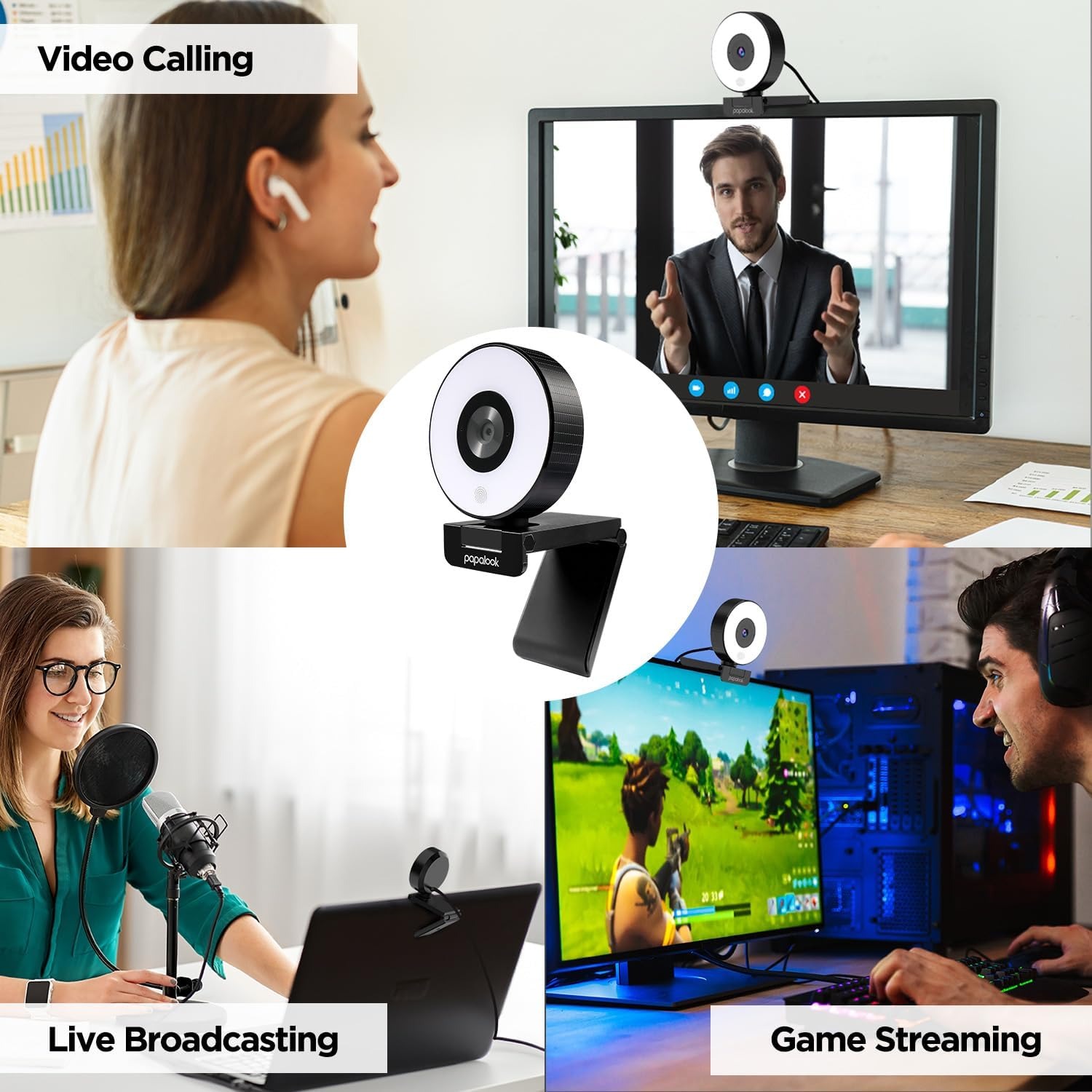
Setup is a USB cable and nothing else. No driver download, no software install. It works with Windows XP, 7, 8, 10 and 11, Mac OS, Linux and Chrome, and with the usual video and streaming platforms such as Zoom, Teams, Skype, OBS, Twitch, YouTube and Facebook. At 135.5 g and 5 x 6.1 x 6.2 cm, it clips to a monitor or a laptop lid and packs into a bag without much thought.

Not sure yet? That is fine.

A camera has to suit the job you bought it for, and you cannot always judge that from a photograph. If it is not right for you, send it back within 14 days of delivery in resaleable condition and we refund the price you paid, including standard delivery. That is on top of your Australian Consumer Law rights if anything arrives faulty.

If it turns up faulty, damaged or not as described, that is on us. The Australian Consumer Law and the Competition and Consumer Act 2010 covers you, and we pay the return postage. Read the full detail on our refunds and returns page, or ask us anything before you order.

Frequently Asked Questions

What is this product?

It is a USB webcam with a ring light built into the front of the body. It records 1080p Full HD video at 1920 x 1080 and 30fps, and includes two microphones and a removable privacy cover.

Why does it have a light around the lens?

Because light coming from the same direction as the camera gives the most even result on a face. A lamp off to the side creates shadow on one half of your face, while a ring around the lens fills in evenly.

How do I change the brightness?

There is a touch control on the camera that steps through three levels, low, medium and high. You tap to move through them and tap again to turn the light off.

Can I use it with the light switched off?

Yes. In a room with decent natural light the camera records well with the ring off, and many people only use the light on dull days or at night.

What resolution does it record?

1080p Full HD, up to 1920 x 1080 at 30 frames per second. The maximum display resolution is listed as FHD.

What is the viewing angle?

75 degrees. That is narrower than many webcams, so it keeps the frame on you rather than the whole room behind you.

Is a narrow angle better?

It depends on what you want in shot. For one person at a desk, narrow is usually better because it hides clutter. For a group around a table you would want something wider.

Does it autofocus?

No, it uses a fixed-focus lens. That means the image stays consistent at normal desk distance and never hunts back and forth mid-sentence, which is a common annoyance with autofocus cameras.

Does it have image stabilisation?

No. The specifications list image stabilisation as not included. Since the camera sits still on a monitor or desk, stabilisation is rarely needed.

How does it connect?

By USB. It is plug and play, so you connect the cable and the computer recognises it without any driver or software install.

Which operating systems does it work with?

Windows XP, 7, 8, 10 and 11, Mac OS, Linux and Chrome. It is one of the simpler options if you are after the best plug and play webcam for a mixed-device household.

Which apps can I use it with?

Any app that accepts a standard USB camera, including Zoom, Teams, Skype, OBS, Twitch, YouTube and Facebook. You select it from the camera list in that app's settings.

Does it have a microphone?

Yes, two built-in omnidirectional microphones with voice-focused noise reduction. They pick up speech from about five to ten metres and reduce background noise.

Is the microphone good enough for podcasting?

It is built for meetings, classes and casual streaming rather than studio recording. For podcast-grade audio a separate dedicated microphone is still the better choice.

What is the privacy cover?

A removable cover that sits over the lens when you are not on a call. It physically blocks the view, which is more reassuring than trusting software alone.

Can I take the privacy cover off?

Yes, it is removable. Most people leave it fitted and slide it aside for calls, but you can take it off completely if you prefer.

How big is it?

The item measures 5 cm deep by 6.1 cm wide by 6.2 cm high. It is small enough to sit on a laptop lid without looking out of place.

How much does it weigh?

135.5 g. It is light enough to travel in a laptop bag and light enough not to tilt a thin monitor.

Does it need batteries?

No. Batteries are not included and are not needed, since the camera and the ring light both run from the USB connection.

Does it work with a monitor as well as a laptop?

Yes. It is designed to sit on top of a screen, whether that is a desktop monitor or a laptop lid, and it also works with computers that have no built-in camera.

Can I mount it on a tripod?

Many webcams in this style include a threaded mount on the base. Check the base of the unit you receive, and if there is no thread a small desk stand is an easy alternative.

What colour is it?

Black. A dark finish is common on cameras because it reflects less light back into the lens.

Is it waterproof?

No. It is listed as not water resistant, so keep it away from drinks and do not use it outdoors in wet weather.

How do I clean it?

Use a dry microfibre cloth on the lens and the light ring. Avoid solvents, alcohol wipes and anything abrasive, as those can haze the lens surface.

What audio formats does it support?

The listing specifies AAC and MP3 support. Video capture format is MP4.

Will it help if my room has no window?

Yes, that is exactly the situation the ring light is for. Set the light to medium or high and your face will lift out of the gloom without you having to buy a separate lamp.

Is it suitable for online teaching?

It works well for it. The narrow angle keeps attention on you, the light keeps your face readable on a student's small screen, and the microphones handle normal speaking distance.

Can I use it for streaming?

Yes. It is compatible with OBS, Twitch, YouTube and similar platforms, and the 1080p picture at 30fps is a solid base for the best webcam for Twitch streaming on a sensible budget.

How is it delivered and can I return it?

Orders ship from our fulfilment network with tracking, and delivery times vary by country. If something is wrong with the item on arrival, contact us with your order number and photos and we will sort out a replacement or refund.

What if it is not right for me?

Get in touch and tell us what did not work, whether that is the frame being too tight, the light not suiting your space, or the audio not matching your needs. We will talk you through the options, and if the camera is in its original condition we will arrange a return or swap.

How to Choose a Webcam with a Built-In Light

6 min read Camera Company

The problem nobody mentions until they see the recording

You join the call, everyone else looks fine, and you look like you are broadcasting from a cave. It happens to most people at some point, and almost always the camera is not the real culprit. The light is.

A webcam sensor is small. Small sensors need light. When there is not enough of it, the camera pushes up its own gain to compensate, and gain brings noise. That is the grainy, flat, slightly muddy look you see on so many video calls. The fix is not usually a more expensive camera. The fix is more light on your face, coming from the right direction.

This is where a 2K webcam with light earns its keep. Instead of asking you to buy a lamp, position it, and find somewhere to put it on an already crowded desk, the light is built into the camera itself. It sits in a ring around the lens, which is the best place for it to be.

Why the ring shape matters

Think about where light hits your face. If a lamp is to your left, the right side of your face falls into shadow. That looks dramatic in a photograph and slightly unsettling in a meeting. Move the lamp behind the screen and you get a silhouette instead.

A ring around the lens throws light from the same point the camera is looking from. Shadows fall behind you, not across you. Skin tone looks more natural. Eyes catch a small highlight, which is a big part of why people read a face as alert rather than tired.

The papalook PA552 uses this approach with three brightness levels, controlled by touch. Low for a grey afternoon. Medium for a normal office. High for an evening call lit by one lamp. There is no app and no menu, you just tap. And when your room already has good light, you leave the ring off and the camera records perfectly well without it.

Picture quality, and what the numbers actually mean

This camera records 1080p Full HD at 1920 x 1080 and 30 frames per second. That is the resolution most video platforms actually deliver anyway, so it is the sensible target for a desk camera.

More interesting is the fixed-focus design. Autofocus sounds like an upgrade, and on a phone it usually is. On a webcam it often is not. Autofocus cameras hunt. You lean forward to make a point, the lens re-racks, and for half a second you are a blur. Fixed focus sets a single sharp zone at normal desk distance and holds it. You get a consistent image for the whole hour-long meeting. People looking for the best fixed focus webcam are usually people who have been annoyed by a hunting lens before.

There is no image stabilisation, and that is fine for a camera clamped to a monitor. Stabilisation matters for handheld filming, not for a device bolted to a desk.

The 75 degree question

Viewing angle is where a lot of buyers get it backwards. Wider sounds more generous, but it mostly means more of your room.

The PA552 uses a 75 degree lens. That frames one person at a desk, plus a little of what is directly behind them. The washing basket, the open wardrobe and the person walking to the kitchen stay out of shot. If you work from a bedroom or a corner of a shared living room, this is the single most useful feature on the camera, and it is a big reason the best webcam for home office picks tend to be narrower rather than wider.

The flip side is simple. If you need to fit three or four people around a meeting room table into one frame, 75 degrees is too tight. Buy wide for groups and narrow for individuals.

Sound, and being honest about it

Two omnidirectional microphones are built into the camera, with noise reduction that focuses on voices. They pick up speech from roughly five to ten metres and cut down the hum of a fan, traffic outside, or a dishwasher in the next room.

For meetings, lessons and casual streaming, that is plenty. People will hear you clearly and will not notice the microphone at all, which is the goal.

For music, voiceover or podcast work, a dedicated microphone still wins. Webcam microphones sit too far from your mouth and share a housing with other electronics. If detailed audio is the point of what you are doing, budget separately for it. If audio just needs to work, the built-in pair does the job and saves you a cable.

Privacy you can see

Software permissions are useful, but they are invisible. A cover is not.

This camera ships with a removable privacy cover that sits over the lens. When the cover is on, the camera cannot see anything, full stop. No driver bug, no rogue tab, no forgotten app changes that. For a lot of people this is the deciding feature, especially for a camera that lives in a bedroom or faces a doorway. Searches for the best desktop webcam with privacy shutter have grown for exactly that reason.

Make a habit of it. Close the cover at the end of the day the way you would close a laptop lid.

Setting it up

Plug the USB cable into your computer. That is it.

There is no driver to download and no account to register. Windows XP through to 11, Mac OS, Linux and Chrome all recognise it as a standard camera. Open Zoom, Teams, Skype, OBS, Twitch or whatever you use, go to the video settings, and pick the papalook device from the list. If your computer still shows the built-in camera, it is almost always because the app has not been told to switch, not because the webcam is faulty.

One small tip. If you use several apps, set the camera as the default in each one rather than relying on the computer to remember.

Who it suits

It fits the person who takes four calls a day from a room with mediocre lighting. It fits the teacher or tutor whose students are watching on a small screen and need to see a clear face. It fits the streamer starting out who wants 1080p and a light without assembling a rig. It fits anyone replacing a tired laptop camera or adding a camera to a desktop that never had one.

It is less suited to group meeting rooms, to filming objects at close range, or to projects where audio quality is the main event.

Looking after it

The care list is short. Wipe the lens with a dry microfibre cloth. Skip solvents and alcohol wipes, which can leave a haze on the plastic over time. Keep drinks away from it, because it is not water resistant. Unplug by holding the connector rather than yanking the cable, since that is where most USB devices eventually fail. Leave the privacy cover on when you are not using it, which also keeps dust off the glass.

At 135.5 g and 5 x 6.1 x 6.2 cm, it travels easily. Wrap it in a cloth or drop it in a small pouch so the lens does not rub against keys in your bag.

The short version

If your video calls look dim, the camera is rarely the problem, the light is. A webcam with the light built into a ring around the lens solves that in the simplest possible way, with no extra lamp and no extra desk space.

The papalook PA552 gives you 1080p Full HD at 30fps, a fixed-focus lens that stays sharp without hunting, a 75 degree frame that keeps your room private, two noise-reducing microphones, three touch-controlled light levels and a cover you can slide across the lens when you are done. It plugs in over USB and works straight away on almost any computer.

Buy it if you want to look clear and well lit on everyday calls without building a studio. Look elsewhere if you need wide group framing or broadcast-grade audio.

Browse the shop

Still deciding?

Tell us about your desk, your lighting and the apps you use, and we will tell you honestly whether this camera fits.

Ask us a question

Page summary

The papalook PA552 is a USB webcam with a built-in three-level touch ring light, model number PA-PA552. It records 1080p Full HD video at 1920 x 1080 and 30fps with a fixed-focus zoom lens and a narrow 75 degree viewing angle. Two built-in omnidirectional microphones use noise reduction to pick up voices at roughly five to ten metres. A removable privacy cover blocks the lens when the camera is idle. Connection is USB plug and play with no driver needed, and it works with Windows XP through 11, Mac OS, Linux and Chrome. The unit measures 5 x 6.1 x 6.2 cm, weighs 135.5 g and is black. It has no image stabilisation and is not water resistant. Country of origin and material are not specified by the maker.